




Written by
Nicolette V. Beard
Small Business Ecommerce
Get The Print Version
Tired of scrolling? Download a PDF version for easier offline reading and sharing with coworkers.
A link to download the PDF will arrive in your inbox shortly.
Key highlights:
Ecommerce is no longer optional. Small businesses face intense competition, and selling online with 24/7 availability, marketing automation, and customer insights is essential for staying competitive.
Built-in features matter more than flashy platforms. Many ecommerce tools seem affordable but require costly apps, surprise you with hidden fees, or limit your ability to grow. Prioritize platforms with native functionality and transparent pricing.
SaaS platforms like BigCommerce are the best fit for most small businesses. These platforms manage hosting, security, and updates so you can focus on running your business instead of handling technical issues.
Choose a platform you will not outgrow. Switching platforms later is costly and disruptive. BigCommerce provides the scalability, flexibility, and features needed to support long-term growth without hidden fees.
Test platforms before committing. Use free trials to explore features, manage products, and place test orders. Evaluate the real cost and daily experience before launching your store.
Small businesses face fierce competition.
You're competing against Amazon, eBay, and retail giants with unlimited budgets. Plus, small businesses make up 99.9% of all U.S. firms — saturation is real.
Here's the opportunity: About one in four small businesses still lacks an online store.
Ecommerce gives you the competitive edge you need to stand out and scale.
With it, you get 24/7 sales, automated marketing, and customer data that brick-and-mortar stores can't access.
Let's explore how small businesses go digital and win.
Why ecommerce isn't optional anymore
Online sales aren't a "nice to have." They're a survival requirement.
Customers expect to shop on their terms: late at night, during lunch breaks, from their phones. Failing to meet that expectation sends them straight to competitors who will.
The investment pays off. Ecommerce delivers advantages that traditional retail simply can't match.
Customer buying analytics.
Traditional retail offers limited data. Cash transactions don't track customer behavior. In-store browsing leaves no trail.
Ecommerce changes everything.
Key metrics you'll access:
Page views: See which products attract attention vs. which get ignored. Double down on winners.
Time on site: Identify engaged shoppers vs. quick bouncers. Optimize pages that hold attention.
Cart abandonment rate: Pinpoint where customers drop off. Fix checkout friction that costs you sales.
Products purchased together: Discover natural bundles. Create promotions based on real buying patterns, not guesses.
Example: A home goods store notices that customers who buy coffee makers also purchase mugs 73% of the time. They bundle these items, increasing average order value by $18.
Use this data to drive decisions, not just collect it.
Search engine visibility.
Over half of shoppers research products on Google before buying. Without a digital presence, you're invisible during that critical research phase.
But visibility alone won't cut it.
Page load speed, relevant keywords, mobile friendliness, and site architecture all determine your ranking.
BigCommerce handles the technical heavy lifting. Built-in SEO tools include optimized URLs, microdata, content delivery networks, and 301 redirects right out of the box. Category pages, product landing pages, and detailed descriptions boost your discoverability without requiring an SEO expert on staff.
Customers find you during research. Your site converts them into buyers.
Automated marketing that scales.
Marketing isn't limited to newspaper ads and window signs anymore.
Your ecommerce platform functions as an automated marketing engine. Customers click an ad, land on a product page, and complete a purchase in minutes. No driving to your store. No exchanging cash.
Then email marketing takes over.
Send personalized product recommendations based on browsing history. Recover abandoned carts with automated reminders. Announce new arrivals to customers who bought similar items.
Traditional retail can't replicate this level of automation or personalization.
Customer experience without friction.
Ecommerce removes shopping barriers your customers hate: limited hours, parking hassles, long checkout lines, sold-out inventory at their local store.
But convenience alone won't differentiate you.
Customers want an omnichannel experience. They research online, buy in-store, or vice versa. They expect inventory visibility across all locations. They demand flexible fulfillment, including things like home delivery, curbside pickup, or in-store returns for online purchases.
Building trust matters even more online. Customers can't touch products or try them on. Counter this with virtual try-ons, detailed product videos, generous return policies, and authentic customer reviews.
Create the experience customers expect, or watch them choose competitors who do.
Mobile commerce captures on-the-go buyers.
Smartphones play a significant role in purchasing decisions.
Desktop conversion rates remain higher, but mobile traffic dominates. Customers browse on phones during commutes, compare prices while online shopping in physical stores, and complete impulse purchases from social media.
Your site must work flawlessly on small screens. Clunky mobile experiences send customers elsewhere before they reach checkout.
Optimize for thumb-friendly navigation, fast load times, and simplified checkout flows. Mobile isn't an afterthought, it's often the first (and only) impression you make.
There's a lot to love ❤️
Watch a demo to see the BigCommerce platform in action.
Which ecommerce platform fits your business?
Not all ecommerce platforms work the same way. Some handle everything for you. Others give you complete control but require technical expertise.
Choose the wrong one, and you'll waste months wrestling with limitations or drowning in complexity.
Here's how the three main approaches compare:
Platform type | Best for | What you get | What you’ll need | Cost range |
SaaS (Software as a Service) | Small businesses wanting fast setup with minimal technical hassle | Hosting, security, updates, and support handled for you. Built-in SEO tools, payment processing, and mobile optimization. | Business strategy and content — technical infrastructure is managed. | $29/month to $5,000+ per month, depending on scale, features, and plan tier. |
Open source | Businesses with in-house developers or agency partners | Complete customization freedom. Integrate with existing systems exactly how you want. | Developer resources, hosting management, security updates, and ongoing maintenance. | $0 for software, with $10,000–$150,000+ annually for development, hosting, security, and maintenance. |
Composable/headless | Multi-channel brands needing identical backend across different customer experiences | Separate frontend (what customers see) from backend (how commerce works). Sell on web, mobile apps, kiosks, and voice simultaneously. | Development team to build and maintain custom frontends for each channel. | $50,000–$500,000+ annually, depending on implementation scope, number of channels, and integrations. |
Bottom line: Most small businesses choose SaaS platforms. You get professional features without hiring a development team or managing servers.
Seven questions to ask before choosing your platform
Monthly pricing matters. But the cheapest option often costs more in the long run.
Hidden fees, security gaps, and missing features force you to cobble together third-party solutions, driving up costs and complexity. Ask these seven questions before committing.
1. What's the true total cost?
That $29/month platform looks affordable until you add up the extras.
Hidden costs small online businesses miss:
Domain registration: Some platforms include it, others charge $15–$20 annually.
SSL certificates: Required for secure checkout, can cost $50–$200/year.
Premium themes: Free options look generic; custom designs can run $100–$200+.
Apps and plugins: Each "essential" add-on can add $10–$50/month.
Hosting fees: Open source platforms require separate hosting (can range from $20–$500/month).
Additional fees: Some platforms charge 0.5%–2% per sale on top of payment processing. BigCommerce offers more than 20+ embedded payment providers, so you can choose the solution that works best for your business with zero payment fees.
Example: A platform advertised at $29/month can easily become $150/month once you add necessary features.
Test platforms during free trial periods. Create a feature checklist. Identify what's included in base pricing versus what costs extra. Calculate your realistic monthly spend before launching.
2. Is security truly handled?
You're responsible for customer data, i.e., addresses, credit cards, payment information.
One security breach destroys trust and triggers legal consequences.
All platforms claim "secure checkout," but implementation varies. Some provide basic SSL certificates and stop there. Others offer comprehensive protection, including PCI compliance, fraud detection, and automatic security updates.
PCI compliance isn't optional. Accept credit cards without it, and you risk fines, payment processing termination, and liability for fraud.
BigCommerce ecommerce stores include Level 1 PCI compliance as standard. You focus on growing your business while security updates happen automatically in the background.
3. Will extra fees eat your margins?
Credit card processing costs money — that's unavoidable. But additional fees on top of processing? Those can be avoided. BigCommerce offers a growing list of embedded payment providers, letting you pick the best payment options for your needs, all without additional fees.
Some platforms charge additional fees when you use third-party payment processors. For example, Shopify applies extra fees (which vary and can be up to 2% per order) depending on your plan, unless you use Shopify Payments.
Calculate the impact: $10,000 in monthly sales × 2% = $200 extra per month, or $2,400 annually.
Look for platforms offering payment gateway flexibility without penalty fees. BigCommerce supports 20+ embedded payment providers including PayPal Braintree, Stripe, Afterpay, and Affirm with no payment fees.
4. Can you build a brand within template constraints?
Generic templates work initially. Building a recognizable brand requires customization.
Free themes offer limited flexibility. Premium themes can cost $100–$200, but still impose design restrictions. True customization often requires hiring developers.
Evaluate theme libraries before committing. Count how many free options exist. Assess whether premium themes match your industry and aesthetic. Understand customization limitations.
Platforms offering robust theme frameworks let you create distinctive designs without custom development costs.
5. Does inventory management scale with growth?
Customers hate discovering products are out of stock after clicking "buy."
Inventory management systems track stock levels, automate reordering, sync across sales channels, and forecast demand.
Small catalogs (under 50 product listings) can manage inventory manually. Growth makes this impossible.
Critical features for scaling:
Real-time inventory updates across all channels
Low-stock alerts preventing overselling
Bulk upload via CSV for adding hundreds of SKUs quickly
Variant tracking (sizes, colors, styles) with individual stock counts
Integration with suppliers for automated replenishment
Choose platforms built for growth, not platforms you'll outgrow in six months.
6. What analytics come standard?
Data drives decisions. Guessing which products to promote or which marketing channels work wastes money.
Some platforms offer comprehensive, all-in-one analytics dashboards. Others provide basic traffic counts and nothing else, forcing you to purchase third-party analytics tools.
Essential metrics to track:
Traffic sources (organic, paid, social, direct)
Conversion rates by product and category
Average order value and customer lifetime value
Cart abandonment points (where customers drop off)
Top-performing products versus inventory sitting unsold
Platforms with built-in analytics can save $50–$200/month compared to adding Google Analytics 360 or similar enterprise tools.
7. Which features are native versus third-party?
Every additional app or plugin increases complexity, cost, and potential failure points.
Platforms offering native features (built directly into the core software) provide better performance, simpler management, and lower ongoing costs.
BigCommerce native features small businesses need:
SEO optimization: Automated sitemaps, customizable URLs, and metadata without plugins.
Multi-channel selling: Sync inventory across your website, Amazon, eBay, and social platforms.
Abandoned cart recovery: Automated emails to recapture lost sales.
Customer segmentation: Target promotions based on purchase history and behavior.
Product reviews and ratings: Build trust without third-party review apps.
Gift cards and discount codes: Drive repeat purchases with built-in promotions.
Third-party apps work, but they require separate subscriptions, individual updates, and troubleshooting when conflicts arise between apps.
Ease of use matters more than feature lists.
Complex platforms slow you down. You'll spend hours managing technical details instead of selling products.
Evaluate platforms on these usability factors:
Set up flow: Guided onboarding walks you through domain registration, payment processing, shipping configuration, and tax settings. Poor setup experiences leave gaps that cause problems later.
Centralized dashboard: Manage products, orders, customers, and marketing from one interface. Jumping between multiple systems creates inefficiency.
Product management: Upload products individually or via CSV bulk import. Platforms limiting you to manual entry become unbearable once you exceed 50 SKUs.
Order management: Process orders, print shipping labels, send tracking updates, and handle returns without leaving the platform.
Test platforms hands-on before deciding. Click through the admin panel. Try adding products. Process a test order. Clunky interfaces frustrate you daily. Smooth experiences let you focus on customers.
Scalability determines longevity.
Your business will change. Product catalogs expand. Sales channels multiply. Customer bases grow.
Platforms imposing growth limits force expensive migrations later.
Growth constraints to investigate:
Product limits (some cap you at 100 or 500 SKUs)
Bandwidth and traffic restrictions
File storage for images and videos
Staff account limitations (how many team members can access the admin?)
International selling capabilities (multi-currency, localized checkout)
API access for custom integrations
Switching platforms mid-growth disrupts operations, confuses customers, and risks losing SEO rankings built on your original domain.
Choose platforms designed for scaling from day one. Pay slightly more now to avoid expensive migrations later.
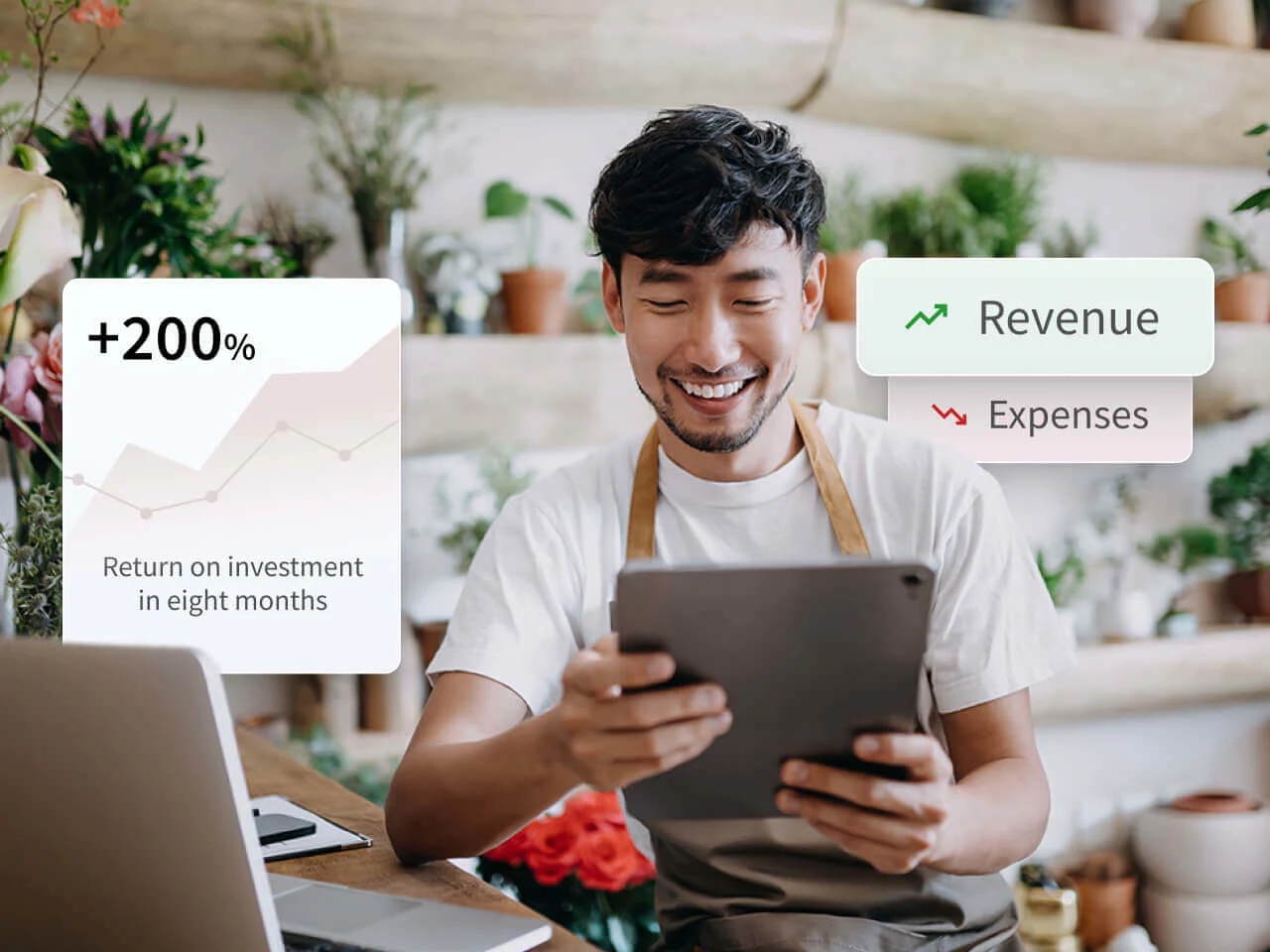
Zero payment fees for embedded providers? Say no more.
We never charge additional fees for businesses that use any of our 20+ embedded payment providers.
How the top small business ecommerce platforms compare
You've narrowed your decision to SaaS platforms. Now comes the hard part: which one?
Each platform markets itself as "perfect for small businesses." Reality is messier. Some excel at ease of use but limit growth. Others offer enterprise features you'll never use.
Here's how the leading platforms actually stack up:
Platform | Best for | Strengths | Limitations | Starting price |
BigCommerce | Businesses looking to grow with flexible, scalable tools | Best-in-class 99.99% uptime, customizable checkout, Multi-Storefront, no payment fees for 20+ Embedded Payment Providers, advanced features built in, flexibility | Platform lock-in, with migration and export costs; Small (but growing) app marketplace | $39/month |
Shopify | Beginners and startups wanting to set up quickly | Large app store, easy-to-use backend, mobile-friendly themes | Checkout restrictions, transaction fees (unless using Shopify Payments), multi-currency constraints, limited content/product page customization | $39/month + transaction fees |
WooCommerce | WordPress users comfortable managing plugins, security, and hosting | Open-source, customizable, large plugin ecosystem community support | Requires separate hosting ($20–$500/month), SSL certificates, security management, plugin costs add up | Free plugin + hosting costs |
Wix | Solo entrepreneurs and creatives needing drag-and-drop simplicity | Easy drag-and-drop builder, free themes, simple setup | Limited storage (20 GB), difficult to scale, weak for large catalogs | $17/month |
Squarespace | Sellers with small catalogs and strong design focus | Visual templates, integrated blogging, simple interface | Limited ecommerce features, few payment options, small app store | $25/month |
Volusion | Budget-conscious U.S.-only sellers with basic needs | Affordable entry point, built-in SEO, simple onboarding | No native blogging, limited design/templates, U.S.-only payments | $35/month |
Weebly | Absolute beginners testing ecommerce viability | Free templates, minimal learning curve, user-friendly for non-technical owners | Basic features, difficult to look professional, outgrow quickly | Free for basic use |
Adobe Commerce Cloud (Magento) | Established enterprises with in-house development teams | Powerful customizations, Adobe integrations, extension marketplace | Extensive setup costs, requires developers, complex maintenance | Custom pricing (enterprise-level) |
Platform deep dives.
BigCommerce: Built for growth without hidden costs.
BigCommerce combines SaaS simplicity with an open architecture. You get managed hosting, automatic security updates, and more built-in features, without fees eating your margins when you work with embedded payment providers.
What sets it apart:
600 SKUs per product: Sell clothing with dozens of size/color combinations without hitting limits (Shopify caps at 100).
Fewer fees: Use any of 20+ Embedded Payment Providers without any fees.
Unlimited bandwidth: Handle traffic spikes during promotions without overage charges.
Multi-storefront ready: Run multiple storefronts from one backend.
Large file support: Upload high-resolution product images and videos without compression.
Small businesses appreciate built-in features that competitors charge extra for: abandoned cart recovery, customer segmentation, product reviews, gift cards, and multi-channel selling across Amazon, eBay, and social platforms.
Complexity increases slightly compared to beginner platforms. The tradeoff? You won't outgrow BigCommerce in six months and face expensive platform migrations.
Shopify: Simple setup with growing costs.
Shopify makes it easy to get a basic store online, but scaling often means paying more for features BigCommerce includes out of the box.
Why small businesses choose Shopify:
Streamlined onboarding for simple stores
Decent theme selection with 70+ designs
Built-in social commerce integrations (e.g., Instagram, TikTok)
Where Shopify creates friction:
Order-based fees: Shopify charges 0.5%–2% per sale when merchants use third‑party gateways instead of Shopify Payments, which can significantly impact margins for small businesses.
Essential features often cost extra: Many advanced tools, including product reviews, enhanced multichannel selling, and deep customer segmentation, depend on paid apps or higher‑tier plans rather than being fully built in.
API rate limits affect custom builds: Shopify’s API throttling can slow integrations and complicate advanced or headless setups compared with platforms with more flexible or generous API access.
Shopify handles basic catalogs well, but complex inventories, with many variants, bundles, or custom rules, often require workarounds or third-party apps. For more control, businesses are frequently pushed toward Shopify Plus, which comes with a steep price tag.
WooCommerce: Free software, hidden costs.
WooCommerce is a WordPress plugin that turns your blog or site into an online store. The plugin is free, but everything else adds up fast.
Appeals to WordPress users because:
Connects directly to an existing WordPress site
Full design and functionality control
No native platform fees
Reality of "free" WooCommerce:
Expensive upkeep: You’ll pay for hosting, SSL, backups, and premium plugins, often totaling more than a SaaS platform.
Technical maintenance: You're responsible for updates, patches, and preventing security breaches.
DIY everything: Troubleshooting often requires developer support or deep technical skill.
Hidden costs: Advanced SEO, abandoned cart recovery, multichannel selling, and automation typically require paid extensions.
WooCommerce may work for businesses already invested in WordPress and web development. But most small businesses find the ongoing maintenance, security risks, and hidden costs outweigh the benefits.
Wix: Drag-and-drop ease, growth constraints.
Wix offers the gentlest learning curve. Drag elements onto pages. Drop them where you want. No coding required.
Ideal for:
Solo entrepreneurs testing product-market fit
Creatives needing portfolio sites with shopping capabilities
Anyone intimidated by traditional ecommerce platforms
Growth limitations appear quickly:
Scalability constraints: Wix is designed more like a website builder than a full ecommerce platform, and it struggles with advanced inventory management and large catalogs compared with dedicated ecommerce systems.
Customization limits: While templates are easy to edit, deeper ecommerce customization and workflow flexibility are limited without outside apps.
Advanced selling tools lag: Reporting, automation, and backend tools aren’t as robust as platforms built for growing stores.
Support and performance issues: As stores grow, merchants often report slower performance and support that doesn’t scale with business needs.
Wix functions well for early stage boutiques or small product lines, but many merchants find their growth outpaces the platform’s ecommerce capabilities, leading to costly migrations or workarounds as sales and catalog complexity increase.
Squarespace: Visual elegance for creative products.
Squarespace prioritizes aesthetics. Templates showcase visual products beautifully: art prints, photography, handmade goods, design work.
Why creatives choose Squarespace:
Stunning templates that require minimal customization
Integrated blogging for content marketing
Strong Instagram integration for visual storytelling
Appointment booking and membership features
Constraints for general commerce:
Limited payment options: Only Stripe, PayPal, and Square accepted.
Small app marketplace: "Squarespace Extensions" offers far fewer integrations than competitors.
Not built for scaling: Works for curated catalogs, struggles with extensive inventory.
Single‑currency checkout: Squarespace only supports one currency per store at checkout, which can impede international expansion compared with platforms that natively support multiple currencies.
Squarespace works well for small, curated stores and design‑first sites. But merchants planning real growth, especially with international selling, complex inventory, or advanced integrations, often find the platform’s ecommerce limitations constrain their expansion.
Volusion: Budget entry point with geographic limits.
Volusion has operated since 1999, making it one of the longest-running ecommerce site platforms. It targets small businesses, prioritizing affordability.
Budget-friendly features include:
Built-in SEO tools
Simple onboarding process
Responsive templates included
Deal-breakers for many businesses:
No native blogging: Content marketing requires workarounds.
U.S.-only payments: Volusion Payments unavailable internationally.
Fewer features: Basic functionality compared to BigCommerce or Shopify.
Smaller ecosystem: Limited apps and integrations.
Volusion works for American businesses selling domestically with straightforward needs. International ambitions or content marketing strategies require different platforms.
Weebly: Training wheels for ecommerce beginners.
Weebly removes technical barriers completely. If you can use a word processor, you can build a Weebly site.
Advantages:
Free templates require no design skills
Minimal learning curve
Integrated with Square for in-person payments
Professional limitations:
Basic feature set makes differentiation difficult
Sites often look amateur despite template quality
Limited room for growth
Weak inventory management for expanding catalogs
Weebly may help you get a product online, but it lacks the flexibility, scalability, and tools required for long-term ecommerce growth.
Adobe Commerce (Magento): Enterprise power, enterprise cost.
Magento offers deep customization and enterprise-grade flexibility, but that power comes at a price few small businesses can justify.
Why large companies choose Magento:
Real-time inventory control across multiple warehouses
Advanced marketing automation and personalization
API access for custom integrations
Why small businesses avoid Magento:
High upfront costs: Even basic implementations can start at $45,000–$100,000+.
Developer dependence: Requires a dedicated in-house or agency development team.
Ongoing technical burden: Self-hosting, security patches, and updates demand constant attention.
Overbuilt for small teams: Feature complexity slows down lean businesses.
Magento makes sense once you're processing millions in annual revenue with complex requirements. Starting here as a small business wastes resources better spent on marketing and inventory.
Small businesses scale with BigCommerce
Real businesses face real growth challenges. Here's how BigCommerce solves them.
Moore Brothers Wine Company: Personalization at scale.
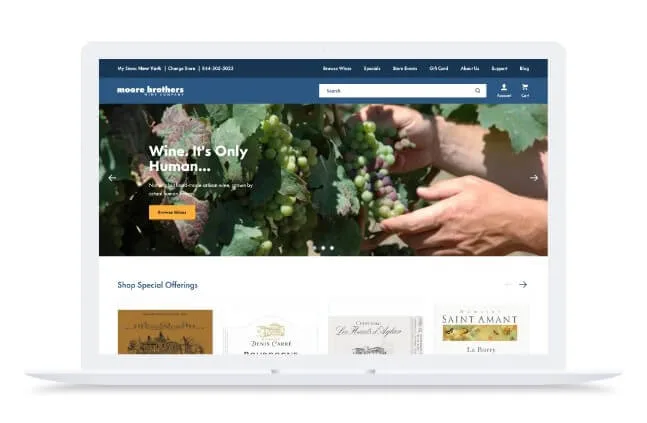
Moore Brothers Wine Company built its reputation on personalized customer service.
Their custom-built website couldn't keep pace. Instability issues disrupted operations. Limited integration capabilities prevented the hybrid in-store and online experience that customers expected.
BigCommerce's API-first architecture integrated seamlessly with existing systems: POS, Klaviyo for customer data, and Advanced Promotions Editor for targeted offers.
Results after migration:
28% conversion rate increase
16% growth in orders and revenue
Stable platform supporting personalized experiences across channels
Both case studies demonstrate the same pattern: Businesses outgrow initial platforms. BigCommerce provides the infrastructure for sustainable scaling without technical limitations.
The final word
Small businesses don’t win on scale — they win on speed. The best ecommerce platform removes friction between you and your customers.
Many platforms seem affordable upfront, but add hidden costs through fees or required subscription apps after you commit. Others offer free plans but lack the built-in tools to actually grow your business.
Focus on what really matters:
Built-in marketing and automation tools that save time and money
Flexible payments that reduce cart abandonment
Scalability without needing expensive upgrades or migrations
Test platforms before committing. Add products, process test orders, and evaluate the experience you’ll use every day. Choose a solution built to scale. Not one you’ll outgrow in six months.
Start your free BigCommerce trial and see why more growing businesses choose a platform with better built-in payment features and no artificial limits.
FAQs for small business ecommerce
There’s no one-size-fits-all answer.
The right platform depends on five key factors: your catalog complexity, technical comfort, integration needs, budget, and growth goals.
Ask yourself:
Product complexity: Are you selling 20 simple items or 2,000 with size and color variants? SKU limits matter.
Technical skills: Do you want to manage hosting and security, or have it all handled for you?
Integration needs: Do you rely on tools like WordPress, Shopify POS, or specific CMS plugins?
Budget: Can you invest $100+/month for robust functionality, or do you need to start closer to $30?
Growth plans: Are you testing locally or expanding internationally within 12 months?
Match your answers to platform strengths. BigCommerce is built for small businesses that plan to grow, offering scalability, multi-channel selling, and robust features without hidden costs.
Shopify may work for beginners, but its simplicity limits long-term flexibility and adds fees.
WooCommerce requires technical know-how and ongoing maintenance.
The clearer your priorities, the easier it is to avoid outgrowing your platform and choose one designed for serious ecommerce from day one.
Not every business, but most.
Ecommerce makes sense if you sell physical or digital products, have customers beyond your local area, or want to capture sales outside business hours.
Skip ecommerce if:
You're purely service-based with in-person delivery (haircuts, massage therapy, personal training).
Your business model requires extensive consultation before purchase (custom architecture, legal services).
You operate exclusively in a hyperlocal market with loyal foot traffic.
Invest in ecommerce if:
Customers research products online before visiting your store
You're losing sales to competitors with online ordering
You want data on customer behavior and buying patterns
Geographic expansion is part of your growth plan
Even service-based businesses benefit from online booking and digital payments. Full ecommerce may not be necessary, but having a digital presence is no longer optional.
SaaS platforms eliminate technical complexity.
Platforms like BigCommerce handle hosting, security updates, and infrastructure automatically. You focus on products and customers, not server management.
Non-technical owners should prioritize:
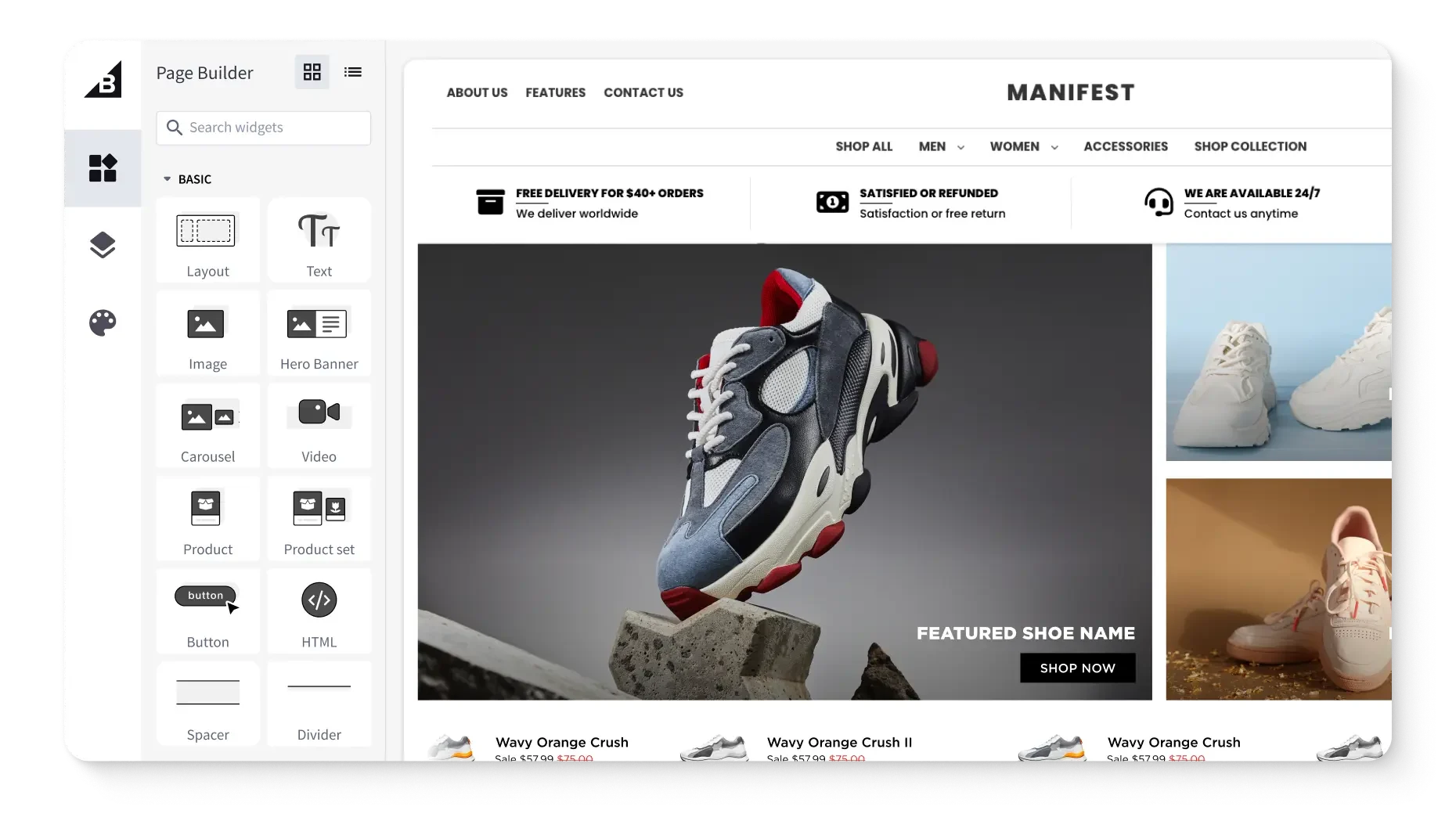
Guided setup flows: Step-by-step onboarding that configures payments, shipping, and taxes without guesswork.
Drag-and-drop page builders: Customize layouts without touching code.
Built-in features: SEO tools, analytics, and marketing automation included rather than requiring plugin installation.
24/7 customer support: Access to help when you're stuck, not just documentation.
Free trial periods: Test platforms hands-on before committing.
Avoid open-source solutions like WooCommerce or Magento. These require developer expertise for setup, maintenance, and troubleshooting.
Platforms like BigCommerce dominate the small business market because they balance ease of use with professional features. Both offer intuitive dashboards and extensive support resources designed for small business owners without technical backgrounds.
Not if you choose the right platform.
SaaS platforms like BigCommerce require zero coding knowledge. Hosting, security, and technical infrastructure are managed for you. You're renting technology, not building it.
What you can do without coding:
Add products with images and descriptions
Customize site design using pre-built themes
Set up payment processing and shipping rules
Create discount codes and promotional campaigns
Integrate with email marketing and social channels
When coding becomes necessary:
Highly customized checkout flows
Complex product configurators (build-your-own features)
Custom integrations with proprietary internal systems
Unique design requirements beyond template capabilities
Open-source platforms like WooCommerce and Magento assume technical expertise. You'll manage servers, modify source code, and troubleshoot technical issues, or hire developers to do it.
Most small businesses never touch code. Modern SaaS platforms handle the technical complexity so you can focus on selling.
Calculate three cost categories: platform, inventory, and marketing.
Estimated platform costs (monthly recurring):
SaaS subscription: $30-$300/month, depending on features
Domain name: $15-$20/year
Premium theme (optional): $100-$200 one-time
Apps and plugins: $0-$150/month for email, reviews, analytics
Payment processing: 2.9% + $0.30 per transaction (industry standard)
Estimated inventory and fulfillment (variable):
Initial product inventory: Varies by product type and quantity
Product photography: $500-$2,000 for professional shots
Packaging and shipping supplies: $2-$5 per order
Warehousing or storage: $0 if dropshipping, $200+ if self-fulfilling
Estimated marketing and customer acquisition (ongoing):
Paid advertising: $500-$2,000/month to start (Google, Facebook, Instagram)
Email marketing platform: $10-$50/month based on subscriber count
Content creation: $0 if DIY, $500-$2,000/month if outsourced
A realistic first-year budget is roughly $10,000-$30,000 for a lean launch scaling to moderate growth, but this can vary depending on your ecommerce requirements.
Test with smaller budgets ($3,000-$5,000) if validating product-market fit before committing to full-scale operations.
AI automates repetitive tasks and personalizes customer experiences at scale.
Efficiency gains:
Product descriptions: AI writing tools generate SEO-optimized copy from basic product specs in seconds.
Customer service: Chatbots handle common questions 24/7, freeing your time for complex inquiries.
Inventory forecasting: Predictive analytics identify which products to restock based on seasonal trends and buying patterns.
Image editing: AI tools remove backgrounds, resize photos, and optimize images for the web in bulk.
Sales improvements:
Personalized recommendations: Cross-selling and upselling with "customers who bought this also bought" features can increase AOV and overall revenue.
Dynamic pricing: Adjust prices based on demand, competition, and inventory levels automatically.
Email optimization: AI determines best send times and subject lines for each customer segment.
Abandoned cart recovery: Automated emails triggered by browsing behavior can recover up to 15% of lost revenue.
Most ecommerce solutions now include basic AI features: product recommendations, abandoned cart emails, and search optimization. Advanced tools like Klaviyo and ChatGPT integrate easily.
Start with one area, like product descriptions or email marketing, then expand as you see results.
Get a free 15-day trial of BigCommerce.
No credit cards. No commitment. Explore at your own pace.