



Written by
John Shieldsmith11/17/2026
B2B Ecommerce ERP Integration: How Pricing, Orders, and Accounts Sync Between Your ERP and Storefront
Get The Print Version
Tired of scrolling? Download a PDF version for easier offline reading and sharing with coworkers.
A link to download the PDF will arrive in your inbox shortly.
Key highlights
B2B ecommerce ERP integration is the connection between a B2B storefront and an ERP that keeps account-specific pricing, customer catalogs, inventory, orders, credit, and invoices consistent in both systems.
Every data domain needs exactly one owner, so the ERP typically owns inventory, contract pricing, and credit, while the storefront owns promotions and orders until they're submitted.
ERP price lists map to storefront price lists that are assigned to customer groups, so each logged-in buyer sees only their contracted prices.
Portal orders, accepted quotes, sales rep orders, EDI, and punchout all need to land in the same ERP sales-order flow with the buyer's PO number attached.
The most common failures are variant mapping mismatches, tax-engine conflicts, stale prices or inventory, duplicate company accounts, and silent write failures.
Syncing at Scale with B2B Ecommerce ERP Integrations
When you’re running a B2B ecommerce business, the entire ordering and invoicing side of things is often one of the greatest sources of frustration. Everything has to be right, from customer pricing to catalog offerings to inventory syncing. Fortunately, a B2B ecommerce ERP integration can make your life a lot easier.
A B2B ecommerce ERP integration connects your storefront to an enterprise resource planning (ERP) platform. This enables a plethora of important data sharing, like account-specific catalogs, pricing, inventory, and more.
For distributors and manufacturers already running an ERP and serving B2B buyers, this kind of integration is invaluable. Even if you’re currently happy with your ERP, this is a good time to consider a change: 87% of suppliers are upgrading or planning to upgrade their ERP systems as of 2026.
Read on to learn what B2B-specific data flows an ERP integration supports, where your ecommerce platform fits in, what real-world examples of functioning ERP software integrations looks like, and more.
Psst. If you’re looking for coverage on generic integration methods and patterns, be sure to read our guide on ERP integrations.
What is B2B ecommerce ERP integration?
B2B ecommerce ERP integration is a series of data connectors that allow your B2B storefront to communicate and share records with your ERP, and vice versa.
This allows your B2B storefront to stay accurate and up to date, as an ERP can store and then share:
Finance
Inventory
Purchasing
Customer master data
All of the above can then sync with your B2B storefront, allowing product catalogs, customer-specific pricing, and order fulfillment to be accurate. Because many buyers have different catalogs and price tiers, overall data accuracy is especially important to get right.
If you need a general refresher or don’t have an ERP yet, be sure to check out our ecommerce ERP guide.
How B2B integration differs from B2C integration.
It’s no surprise that B2B and B2C ERP integrations look a lot different.
While both integrations help drive accuracy and improve the overall customer experience, the integrations differ in four primary places: who the customer is, how price is determined, how an order is placed, and how tax is calculated.
For the B2C space, integration syncs product SKUs, inventory levels, and individual orders. Keep in mind orders are also typically much smaller in value than in the B2B space, so if any of this goes wrong, stakes aren’t as high. (You still want it to go right, though.)
For the B2B space, integration needs to carry the above, as well as company structures, contract terms, and payment terms that aren’t found in consumer selling or B2C. On top of this, inventory accuracy is even more difficult in B2B, as you’re usually dealing with bulk orders, rather than one-offs.
In other words, an ERP integration that works well for B2C can quickly fall apart where a B2B ecommerce platform and operation are concerned. For a better look at how the two differ, refer to the table below.
Area | B2C integration | B2B integration |
Customer | An individual shopper | A company with multiple buyers, roles, and approval limits |
Price | List price, plus promotions | Contract or price-list price for each account |
Order | Card payment at checkout | PO number, quote reference, and net terms |
Tax | Destination-based tax | Exemption certificates tied to each company |
It’s more critical than ever to get this all right, as more B2B buying is shifting online to the digital commerce space. Manufacturing and wholesale distribution sales in the US hit $15.12 trillion in 2025. And, it’s only continuing to grow. The right ERP integration saves you an increasing load of manual processes and manual data entry, and reduces costly errors as you scale online.
The three systems involved: ERP, commerce platform, and the integration layer.
Behind every functioning ERP integration are three parts:
The ERP: The system of record for finance, stock, and customer master data
The ecommerce platform: The storefront, buyer portal, catalog, and checkout
The integration layer: The missing piece that moves data between the ERP and ecommerce platform using a connector, an integration platform as a service (iPaaS), or a custom API and webhook build.
Regarding the integration layer, it’s important to note each of the methods for the actual connection or integration differ greatly. (More on that later.)
What data syncs between an ERP and a B2B storefront
So what exactly do those three B2B ERP integration layers move? A whole lot, split into six data domains, each one with its own direction and cadence for syncing. For more information, refer to the in-depth table below.
Data domain | Direction | Typical cadence | System of record | What the buyer sees if it's wrong |
Product and catalog | ERP to storefront (copy and media may come from a PIM) | Scheduled batch | ERP for SKUs and attributes; PIM or commerce platform for copy and media | Missing products, wrong specs, or discontinued items still for sale |
Pricing and price lists | ERP to storefront | Event-driven | ERP | The wrong contract price, or another account's price |
Inventory and available-to-promise | ERP to storefront | Event-driven | ERP | Items shown in stock that can't ship |
Companies, buyers, and permissions | Both directions: hierarchy from ERP, new registrations to ERP | Scheduled batch, plus on registration | ERP for company master; storefront for buyer roles | Login problems, missing ship-to addresses, or duplicate accounts |
Orders, quotes, and purchase orders | Storefront to ERP, with status back | Real time on submit | Storefront until submitted; ERP after | Orders that never ship, or status that never updates |
Credit, invoices, and payments | ERP to storefront, with payments back | Real time at checkout; invoices on creation | ERP | Orders blocked in error, or invoices that don't match checkout |
Product and catalog data.
Product and catalog data are at the foundation of a solid B2B customer experience, and fortunately this is one of the primary functions of ERP integration.
The ERP sends SKUs, units of measure, pack sizes, and core attributes to the storefront. Meanwhile, the marketing copy and media that populate your storefront often come from a product information management (PIM) solution or the ecommerce platform itself.
Regarding cadence, catalog data changes less often than price or stock, so a scheduled batch is usually enough. Run it often enough that new and discontinued SKUs show up within a business day.
Pricing and price lists.
Contract prices, trade agreements, and price lists move from the ERP to the storefront.
A buyer who sees yesterday's price will either overpay or dispute the invoice. Because of this, you should sync pricing on events instead of nightly, as a single price change can affect hundreds of accounts.
Inventory and available-to-promise.
Available-to-promise (ATP) is on-hand inventory minus allocations and reservations. Your ERP should expose ATP to the storefront, rather than raw on-hand stock. This prevents selling product you’ve promised to another buyer, resulting in a stockout.
For instance, if a warehouse holds 500 units with 120 allocated and 30 reserved, the buyer should see 350.
For the cadence of syncing, inventory should sync on set events, like an invoice being generated, because B2B buyers order in volume and a dated count can result in overselling a full pallet.
Companies, buyers, and permissions.
Company hierarchies, bill-to and ship-to addresses, and payment terms come from the ERP's customer master, while buyer roles and approval limits usually live in the storefront. New companies created at registration flow back to the ERP to get a customer number.
You can use a scheduled sync for this hierarchy, as long as registrations post the moment they happen. This keeps your customer master current and makes it easier for your salespeople to manage new accounts.
Orders, quotes, and purchase orders.
Orders flow from the storefront to the ERP in real time on submit, carrying the PO number and any quote reference. Order status, shipments, and tracking then flow back to the buyer portal. Electronic data interchange (EDI) orders and punchout carts are additional capture channels that must land in the same ERP sales-order flow.
Psst. For more on the above, our guides to EDI integration and B2B punchout catalogs explain how each one connects.
Speaking of EDI orders, these system-to-system orders are beginning to be phased out. In fact, 92% of buyers using EDI are shifting either partially or fully to other channels. Expect more emphasis on buyer portals and self-service options, along with APIs that push toward more automated order processing.
Credit, invoices, and payments.
Credit limits, open balances, and invoices are ERP records the storefront reads. For checkout to function properly, it needs a real-time credit check before it accepts an order on terms.
To make the above happen, invoices should sync to the buyer portal when they're created, with payments made there flowing back to the ERP. If this sync lags, buyers get blocked by limits they've already paid down, slowing down workflows and harming the customer experience.
Which system should be the source of truth in a B2B ERP integration?
Your B2B ERP integration is only as good as the data inside it. A single source of truth can make this a reality, while also making it easier for your team to wrangle all the information needed to make this magic happen.
A B2B ERP integration works best with one owner per data domain, all enforced by the integration. Instead of asking which single system is the source of truth, think of it like this: the ERP owns most transactional and financial records, while the storefront owns the buying experience around them.
(Or, you could just look at the glorious table below.)
Record | Default owner | Common exception |
Inventory | ERP | Storefront-only items the ERP doesn't track |
Contract pricing | ERP | None |
Promotions | Commerce platform | Rebates the ERP must reconcile |
Product copy and media | PIM or commerce platform | Regulated text kept in the ERP |
SKU, cost, and attributes | ERP | Search attributes enriched in a PIM |
Orders before submission | Commerce platform | None |
Orders after submission | ERP | Status is displayed in the storefront |
Company accounts | ERP | Buyer roles are managed in the storefront |
Inventory: the ERP owns it; the storefront displays ATP.
The ERP should be the source of truth for inventory in a B2B ERP integration; the storefront should display available-to-promise quantities synced from it, not maintain its own stock counts.
The most common exception to this rule is any storefront-only item, like marketing kits your ERP wouldn’t track.
Pricing: the ERP owns contract terms; the storefront owns promotions.
Contract prices, trade agreements, and customer-specific discounts belong in the ERP, as your finance and sales teams already manage them there. Promotional rules, like free-freight thresholds or seasonal coupons, belong in your commerce platform.
The exception here is a promotion the ERP has to account for, like a manufacturer rebate. In that case, the storefront should apply it while the order carries a reference the ERP can reconcile.
Product content: the PIM or commerce platform owns copy and media; the ERP owns SKU, cost, and attributes.
Your ERP should own SKU numbers, cost, units of measure, and technical attributes. A PIM, or the commerce platform, owns descriptions, images, and documents.
The exception to the above is any regulated text, such as safety data, which some teams keep in the ERP to ensure it prints on every document. Whatever route you choose, don't let two systems edit the same field.
Orders and customers: the storefront owns them until submission; the ERP owns them after.
Carts, draft quotes, and requisition lists belong to the storefront until the buyer submits. At submission, ownership should pass to the ERP, which handles fulfillment, invoicing, and status.
Company master records then follow the ERP, while buyer logins and roles stay in the storefront.
The exception is any new company created at registration, which starts in the storefront and moves to the ERP before its first order posts.
Use the checklist below to test ownership in your own stack, running it for each of the six data domains. If any answer is unclear, that domain is likely where your next sync problem will start. Write the answers down and share them with every team that touches the data.
Edit rights: Which system edits the record?
Read path: Which system do other systems read it from?
Conflict rule: What happens when the two systems disagree?
Alerts: Who's alerted when a write fails?
Review cadence: How often do you review ownership?
If you can’t reach a conclusive answer for any of the above, you likely need to establish a clear stakeholder for that section of the data. From there, work together through mock workflows until one stack flows into the next.
How account-specific and contract pricing sync from the ERP
Getting both contract pricing and account-specific pricing accurate are crucial to a smoothly operating B2B experience. Proper ERP integration allows this, syncing both with three processes:
Mapping: ERP price lists map to storefront price lists assigned to customer groups or company accounts.
Isolation: Dealer and consumer pricing stay separate through separate lists and reviewed assignments.
Validation: Price is re-checked against the ERP at cart, quote, and order time.
Now, let’s take a closer look at what each of the above looks like.
Mapping ERP price lists and trade agreements to customer groups.
ERP price lists or trade agreements are mapped by the integration layer to storefront price lists, which are assigned to customer groups or company accounts. This makes it so each logged-in buyer sees only their contracted prices, which are then re-validated against the ERP at the time of ordering.
For example, in BigCommerce B2B Edition, customer groups with account-specific pricing and customer-specific catalogs are natively configurable. That gives the integration a clear place to land each contract.
The flow itself runs in five steps:
Create the agreement: A contract or trade agreement is created in the ERP.
Map the list: The integration layer maps it to a storefront price list.
Assign the list: The price list is assigned to a customer group or company.
Show the price: The buyer logs in and sees only that list.
Re-validate: The cart and quote re-check price against the ERP at submit.
Snell, a New Zealand B2B supplier, shows how this works at scale.
Snell integrated BigCommerce directly with Microsoft Dynamics 365 Finance & Operations using open APIs. With implementation partner Terabyte, it built a pricing engine using Azure Functions and Service Bus Queues.
"We initially were grappling with 50 million price permutations," said Charles Richards, ERP Manager at Snell. "We turned out the solution about a week before go-live, and now we can handle 3.1 million price changes in under an hour."
Keeping dealer and consumer pricing isolated.
Manufacturers that sell to both dealers and consumers live by a steadfast rule: consumers must never see dealer prices. ERP integration supports this rule through separate price lists and customer-group assignment, with the consumer storefront never assigned a dealer list.
Proper configuration of an ERP integration covers most of this, but two human controls help ensure the rule is followed:
Assignment review: Someone outside the integration team checks every new or changed price-list assignment before it goes live.
Test accounts: Each customer group has a test account that someone logs into after every pricing change to confirm the right list appears.
As always, before anything goes live, be sure to run through workflows in a test environment, testing any and all variables that might throw a wrench into the gears.
Quantity breaks, tiered pricing, and currency.
Don’t rebuild quantity breaks and tiered pricing in the storefront, rather they should both live in the ERP price list and then be mapped to your store. This way, if a buyer gets a lower unit price at 100 units in the ERP, the storefront tier has to match exactly. Manually maintaining tiers leaves too much room for error, whereas mapping them in the ERP once allows them to sync across every change.
Multi-currency pricing needs to follow the same rule. If you sell in several currencies, keep each currency's contract price in the ERP rather than converting on the fly in the storefront.
A converted price can differ from the invoice by a few cents per line, which adds up on large orders. Map each currency's list to the right storefront price list and customer group in your ERP and have them sync instead.
Validating price at cart, quote, and order time.
Event-driven sync with custom triggers will largely reduce the chances of anything being out of sync. But, your storefront should still re-check pricing against the ERP anytime a customer is about to make an order.
This means rechecking price:
At the shopping cart
When a quote is created
When an order is submitted
If the ERP returns a different price, the storefront should update the line and tell the buyer before they submit. This improves the customer experience, and prevents frustrating invoice disputes. (Invoicing doesn’t need any help being more complicated than it already is.)
Customer-specific catalogs, company accounts, and permissions
In a B2B ERP integration, the company (not the individual buyer) is the customer record. Because of this, the ERP customer number must be the shared key in both the ERP and your storefront.
It’s important every company account in your storefront has this number, otherwise the integration can’t reliably match orders, prices, or credit to the right account. Clean company records also make it easier for sales reps to find the right account quickly and place orders on behalf of a buyer.
So, how do you make this happen?
Syncing company hierarchies and ERP customer numbers.
New companies created at storefront registration should flow back to the ERP and receive their customer number before the first order posts. Skipping this step is one of the biggest causes of duplicate accounts.
The right ecommerce platform, like BigCommerce B2B Edition, should support multi-company hierarchies with parents, subsidiaries, and departments. The ERP should supply the hierarchy, bill-to and ship-to addresses, and payment terms, while your storefront mirrors them.
Buyer roles, approval limits, and permissions.
Buyer roles and approval permissions need to be managed in the storefront and set by your admins. For example, you might have a purchasing manager who can approve orders over a set amount, while a junior buyer can only build carts.
The ERP doesn't usually need these roles, but it does need to know who approved an order. Provide a complete ERP record by passing the approver's name or ID with the order.
Catalog visibility by account.
Again, you don’t necessarily want every customer seeing every product or category. Set this visibility in the storefront and assign it to each customer group.
The ERP will supply the eligibility rules, like which product lines an account can see or buy, while your storefront then enforces what the buyer sees based on that rule. When an authorization changes in the ERP, the catalog assignment should change with it on the next sync in your storefront.
Preventing duplicate company and contact records.
Duplicate records can result in unnecessary clutter at best, and out-of-sync information at worst. This happens when two systems are able to create a company record without checking cross systems.
To prevent duplicates, make the ERP customer number a required field before a company can place an order. Next, match new registrations against existing ERP records by tax ID or email domain before creating a new one. Contacts should follow the same rule, so each buyer belongs to exactly one company record.
Capturing B2B orders: purchase orders, quotes, and requisition lists
The B2B buying experience is changing, with 67% of B2B buyers wanting a rep-free experience. This level of self-service can only happen if every order the buyer places arrives in the ERP complete and correct. This means syncing PO numbers, quote references, and approvals.
Purchase order capture and PO number matching.
First, the PO number a buyer enters at checkout must post to the ERP sales-order header. This lets the ERP match the buyer's PO, the sales order, and the invoice. Without it, the buyer's accounts payable team can't match your invoice, and payment slows down.
The PO flow runs in four steps:
Enter the PO: The buyer enters a PO number at checkout.
Submit the order: The order submits from the storefront.
Create the sales order: The ERP creates a sales order with the PO number in the header.
Send the invoice: The invoice references the same PO number.
The above workflow will enable real-time data synchronization for one of the most critical B2B processes, so it’s worth getting right the first time around.
Quote-to-order handoff.
Quotes are created in the storefront in most instances. Once created, a quote moves through four statuses: draft, sent, accepted, and ordered.
Only when a quote reaches ordered does it post to the ERP as a sales order. The ERP shouldn't see draft quotes, because they'd clutter demand planning with deals that may never close.
Requisition lists and reorder.
Requisition lists, or shopping lists, along with reordering, are two features of BigCommerce B2B Edition, and help drive operational efficiency for both you and the buyer in B2B.
The crucial integration point here is syncing complete order history from the ERP with your storefront. This lets reordering work for orders placed through any channel, whether it’s a rep, EDI, or the portal.
Again, it’s important that you sync all order history, otherwise someone who orders through EDI will find an empty order history if you’re only syncing rep orders, etc.
Sales rep ordering on behalf of a buyer.
Allowing sales reps to place orders on behalf of buyers is a core piece of delivering a modern digital commerce experience for B2B.
Even if an order is placed by one of your reps, rather than the buyer, it should still carry the buyer's company, price list, and PO number, plus the rep's ID. That way the ERP records it like any other customer order and credits the right rep. Reps also see the same contract prices the buyer would, so there's no second price book to maintain.
Where EDI, punchout, and agent-captured POs fit.
EDI orders arrive through integration partners and must create the same ERP sales order as a portal order, as our EDI integration guide explains. Punchout is delivered through a third-party integrator that returns a cart to the buyer's eProcurement system (see our punchout catalogs guide for more). Both channels need the same PO number, price, and company mapping as a portal order. If they skip any of those, the ERP ends up with orders it can't match.
This is another area where the right ecommerce platform can help.
For example, the B2B Purchase Order Agent, listed as B2B PO Skill on the agentic commerce page, is available now in early access. It reads inbound PO documents into the order workflow, which helps order-entry teams process emailed and attached POs faster. Meanwhile, a person stays in the loop, reviewing and approving each order before it's submitted. From there, it follows the same path into the ERP as every other channel.
Net terms, credit limits, and B2B tax
Credit, invoices, and tax exemptions are ERP-owned records that the B2B storefront must read in real time at checkout.
Net terms allow buyers to order on account instead of paying by card. For this to sync, the main integration point needs to be the credit check. If the storefront can't see current limits and balances, it either blocks good customers or approves orders finance would reject.
Syncing credit limits and open balances.
Credit limits and open balances are both read by your storefront at checkout, pulled from the ERP. Your storefront first compares the remaining credit to the cart total. If the order fits, it proceeds on terms, and if it doesn't, the storefront blocks it or flags it for review.
Note: The rule for flagging versus blocking should come from your credit team, not the integration developer.
Invoices and payment status.
Invoices show up in the buyer portal for buyers to view and pay them, but are first generated in the ERP and then synced. When a buyer pays in the portal, the payment status should flow back to the ERP. This updates the open balance, which frees up credit for the next order. If this loop runs only once a day, a buyer who just paid can still hit their limit, so make sure it syncs in real time.
Tax exemption certificates and tax-engine ownership.
Pick exactly one tax engine, either in the ERP or a commerce-side tax service, and make the other system read its result.
Two engines calculating tax independently will eventually disagree on rates, rounding, or exemptions. Whichever route you pick, exemption certificates should attach to the company record and sync with it. When a certificate expires or changes, both systems need the update before the next taxable order.
Choosing an integration approach for B2B ERP integration
A B2B ERP integration has a lot of heavy lifting to do, carrying your price lists, company accounts, buyer roles, and more. With multiple integration routes available, making the right choice right out of the gate is huge, otherwise you risk things breaking down.
Before diving into the following integration methods, check your ERP’s API rate limits and confirm whether you need EDI or punchout, as each adds more for your integration to handle.
Partner and marketplace connectors.
On BigCommerce, ERP connectivity is delivered through partner and marketplace connectors, along with open APIs. You can browse options on the ERP integration page and in the ERP apps category of our marketplace.
Before choosing one, check whether it maps company accounts and price lists. Many connectors map only products, inventory, and orders, which leaves the B2B-specific records to custom work.
iPaaS.
An iPaaS gives you prebuilt connectors and one place to manage mappings, retries, and alerts. It suits teams with several ecommerce integrations to run beyond the ERP, such as a PIM or CRM.
Before making a decision, check whether its ERP and commerce connectors cover company hierarchies and contract pricing. Our iPaaS solutions guide lists the main vendors to further streamline your search.
Custom API and webhook integration.
A custom build uses the commerce platform's APIs and webhooks to connect directly to the ERP. It fits when pricing logic is complex or your ERP is heavily customized.
Snell, as mentioned earlier, took this route with Microsoft Dynamics 365 Finance & Operations. The trade-off to this approach is that your team owns monitoring, error handling, and upgrades.
A composable setup can also mix approaches, such as a connector for orders and a custom service for pricing.
Sequencing the build: what to connect first.
Whichever route you choose, building in the order of dependencies is a must. This is because each step relies on keys created by the step before it. Price lists need company accounts to attach to. Orders need products, prices, and stock to be correct. Credit checks need orders to post cleanly, and so on and so forth.
Connect the following dependencies in this order to prevent things from breaking down:
Company accounts and buyers: Create the shared ERP customer number first
Catalog: Sync SKUs and attributes
Price lists: Map contract pricing to customer groups
Inventory and ATP: Sync available-to-promise by SKU
Orders, quotes, and POs: Post submitted orders to the ERP
Credit and invoices: Add credit checks and invoice sync last
Again, the above isn’t a suggestion, but a map you should follow if you want to prevent one system after the next from breaking down.
What commonly breaks in B2B ERP integrations
In a perfect world, your B2B ERP integration goes smoothly without anything breaking. But, realistically, there are a number of elements that commonly break.
Each of the following break points need to be addressed the moment they arise, otherwise you’re only harming the buyer experience. This can and will cost you money, especially with suppliers estimating they lose 13% of bids to negative buyer experiences.
Furthering the importance of addressing breakdowns, keep in mind any of them will entail manual intervention. Any manual intervention you can reduce is huge, as 58% of customer service issues involve manual order intervention.
Variant and SKU mapping mismatches.
The problem: Variant and SKU mapping mismatches will result in buyers seeing the wrong price or stock for a size, finish, or pack quantity.
One ERP item with three pack sizes might be three storefront SKUs, or the reverse, making this problem multiply quickly. (This is exponentially problematic if your catalog is in the thousands.)
The solution: Assign an explicit SKU-to-variant mapping table owned by one team and this is less likely happen.
Tax-engine conflicts.
The problem: Buyers get invoices with tax amounts that don't match what they saw at checkout. The cause is two systems each calculating tax with their own rates and rounding. Exemption status can also differ if certificates sync to only one system.
The solution: Designate one tax engine and make the other system read its results.
Sync latency and stale pricing or inventory.
The problem: Buyers see yesterday's contract price or stock that's already sold. The cause is nightly batch jobs for data that changes during the day. A price change made at 9:00 a.m. might not reach the storefront until 2:00 a.m. the next day, and so on.
The solution: Move pricing and inventory to event-driven sync and keep catalog data on batch.
Duplicate company and customer accounts.
The problem: Buyers can't see their order history, or a rep finds two records for the same company. The cause is storefront registrations that create a company without an ERP customer number. This results in orders and credit splitting across the two records over time.
The solution: Require the ERP customer number before the first order posts, as described in the company accounts section.
Silent sync failures and ERP API rate limits.
The problem: Buyers get an order confirmation, but the order never ships. The cause is a write to the ERP that was rate-limited or rejected with no one alerted, so the order exists in only one system. These rate limits are most likely to be hit during peak ordering, such as month-end.
The solution: Apply dead-letter handling for failed messages and alerts on every failed order post.
Legacy ERP constraints and security requirements.
The problem: Buyers see gaps, such as missing order status, because an older ERP can't expose the data. The cause is legacy systems with limited APIs, plus security rules that restrict what the integration user can reach. On top of this, older ERPs often need middleware to translate between file-based exports and modern APIs.
The solution: Scope the integration user to only the data it needs, encrypting data in transit, while adding middleware where the ERP has no API.
What a working B2B ERP integration looks like
We’ve covered what can go wrong and why. But, what does a working B2B ERP integration look like in the real world?
The following companies run on BigCommerce, and have had great success syncing their ERP across their B2B operations.
Snell: enterprise pricing logic synced from Microsoft Dynamics 365 Finance & Operations.
Snell is a New Zealand B2B supplier with a catalog exceeding 25,000 products and more than 1,500 B2B customers. After evaluating a variety of options, Snell chose BigCommerce.
Using the open APIs, Snell integrated directly with Microsoft Dynamics 365 Finance & Operations for real-time syncs across pricing, inventory, and customer data. The company’s pricing engine now processes more than 3 million price changes in under an hour, following the pricing pattern described earlier.
Van Cafe: direct Acumatica Cloud ERP integration.
Van Cafe migrated to BigCommerce from Volusion and integrated directly with Acumatica Cloud ERP. The direct connection gives the team a single system behind the storefront instead of separate tools.
Van Cafe is a great example of the direct integration approach covered in the section on choosing an integration approach.
“Finding an ecommerce platform that could integrate with our ERP system drove our decision for who we were going to use as our next provider. Volusion didn’t have the capabilities we needed, but BigCommerce did.”
Ingrid Getzan - Director of Sales and Marketing, Van Cafe
Be sure to read the Van Cafe case study for the full story.
The final word
A working B2B ecommerce ERP integration comes down to one owner per data domain, enforced by the integration. Get that right, and contract prices, stock, orders, and credit stay consistent wherever the buyer orders. Get it wrong, and the same errors show up as disputes, duplicate accounts, and orders that never ship.
Get started with these three quick steps:
Name the owners: Write down which system edits each of the six data domains today.
List the B2B records: Document every price list, company account, and PO workflow the integration must carry before you choose a connector or iPaaS.
Plan for failure: Set up alerts for failed order posts and a test account for each customer group before go-live.
If you're planning an integration around an ERP upgrade, talk to the BigCommerce B2B team about how B2B Edition handles price lists, company accounts, and quoting. Best of all, you can even see how it fits your stack before you commit to a connector.
The team can also introduce you to partners who build ERP integrations. Explore BigCommerce for B2B to get started.
FAQs about B2B ecommerce ERP integration
ERP integration for B2B ecommerce connects a B2B storefront to an ERP so pricing, inventory, and catalog data flow to the storefront, while orders, quotes, and new company accounts flow back to the ERP. Each data domain has one owning system, and the integration keeps the other system in sync. The connection runs through a partner connector, an iPaaS, or a custom API and webhook build. Most modern ERPs expose APIs that support B2B ecommerce ERP integration directly, while older ones need middleware, as our ERP integrations guide explains.
Regularly assess key performance indicators (KPIs) for effectiveness and impact. Potential metrics include sales growth, order processing, inventory accuracy, customer satisfaction, cost savings, system uptime and performance, data accuracy and consistency and reporting errors. These measurements will help you identify areas of improvement, optimize processes and ensure that the integration delivers the desired outcomes.
But the success of your integration shouldn’t be based solely on sales but on the quality of the overall relationship. A successful integration should support a diverse suite of third-party applications for smooth adaptations that don’t interrupt functionality. You want to feel comfortable with the vendor, knowing they have the development community to aid business performance and productivity.
ERP price lists or trade agreements are mapped by an integration layer to storefront price lists. Those lists are assigned to customer groups or company accounts, so each logged-in buyer sees only their contracted prices. The storefront re-validates the price against the ERP at cart, quote, and order time. Quantity breaks and currencies should be mapped from the ERP, not rebuilt in the storefront.
The ERP should be the source of truth for inventory in a B2B ERP integration; the storefront should display available-to-promise quantities synced from it, not maintain its own stock counts. Available-to-promise is on-hand stock minus allocations and reservations. Inventory should sync on events rather than nightly, because B2B orders are often large.
The most common B2B ERP integration failures are variant and SKU mapping mismatches, tax-engine conflicts, sync latency that shows stale prices or inventory, duplicate company accounts, and silent write failures. Most of them trace back to unclear data ownership or missing alerts. Each has a specific fix, such as a single SKU-to-variant mapping table or dead-letter handling for failed order posts.
B2B ecommerce ERP integration is secure when the connection uses scoped API tokens, encrypts data in transit, and gives the integration user least-privilege access. The integration user should reach only the records it syncs, not the whole ERP. Payment card data falls under PCI requirements and shouldn't pass through the ERP integration at all. Rotate API tokens on a schedule and log every write the integration makes.
A cloud-based ERP system affords your team a secure platform without employing a specialized IT department. Start with a flexible platform that provides secure solutions like encryption, data storage, authentication, access controls and communication protocols.
Facilitate regular security audits, testing and updates to ensure your integration meets compliance and industry standards for payment processing and data privacy.
Educate employees on security best practices so they understand their role in maintaining a safe, integrated system and are skilled in providing the highest level of protection. Promote awareness of potential security risks, such as phishing attacks or social engineering, to mitigate the human factor in security breaches.
Not all ERP systems support B2B ecommerce integration out of the box. Most modern ERP systems have API or capabilities that enable integration with ecommerce platforms.
Still, some ERP systems have built-in ecommerce functionality features and modules, while others offer pre-built integrations and partnerships with specific ecommerce platforms.
Ultimately, the level of integration support will depend on the specific ERP and ecommerce system. Ensure to evaluate the software’s capabilities, compatibility with ecommerce platforms and the availability of APIs or connectors.
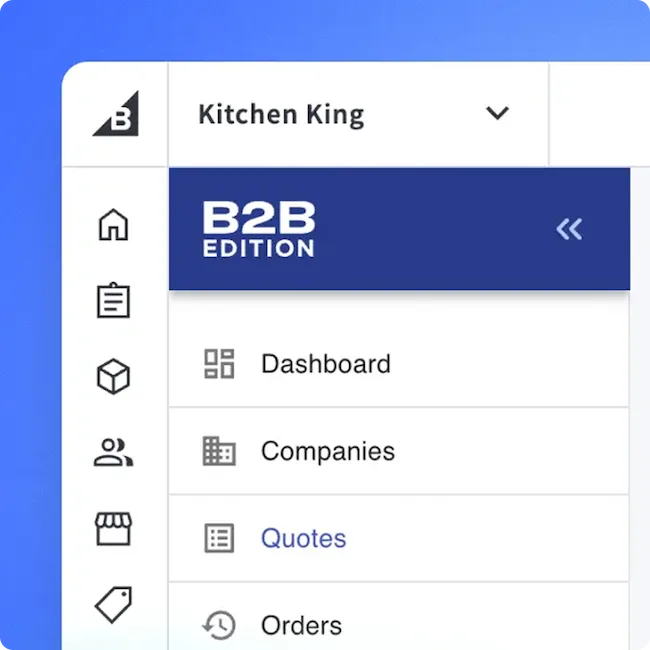
We're serious about B2B.
BigCommerce B2B Edition gives you account management and quoting tools to help your sales team get more orders.