




Written by
Mandy Spivey
How to Create Your Online Store from Scratch
Get The Print Version
Tired of scrolling? Download a PDF version for easier offline reading and sharing with coworkers.
A link to download the PDF will arrive in your inbox shortly.
What you’ll learn:
As ecommerce industries continue to grow, there are more opportunities than ever to build brands and businesses that serve online shoppers.
A strong business plan and a clear product catalog aren’t just foundational — they help improve SEO visibility and customer conversion by making your site easier to navigate and your marketing more focused.
Choosing the right store builder can make launching easier and future scaling more cost effective, ensuring your site is search‑ready and connected to the right sales channels.
To give your brand the best chance of success when starting an online business, planning ahead of time is essential, from organizing your products to considering the ways you’ll market your brand well after launch.
From idea to impact: how one entrepreneur launched a thriving online store.
When Maya pitched her handmade skincare line on a local startup podcast, she had no website, no branding, and no sales — just a product she believed in.
Six months later, her ecommerce website was generating thousands in monthly revenue, with customers across the country. What changed?
She stopped waiting and built her online business from the ground up.
In today’s digital landscape, launching an online business doesn’t require a tech background or a big budget. Entrepreneurs at every stage are using intuitive store builder tools to sell products, connect with customers, and grow sustainable brands — all from their laptops.
This guide walks you through how to build an ecommerce store from scratch, using real-world strategies and ecommerce best practices. Whether you're starting your first side hustle or scaling your next big idea, this is your step-by-step blueprint to building a store that stands out.
Get a free 15-day trial of BigCommerce.
No credit cards. No commitment. Explore at your own pace.
Step-by-step guide to building an online store
Step 1: Create a business plan that aligns with your goals.
Before Maya launched her store, she did what every successful entrepreneur should do first — create a business plan built around her goals and audience.
Your business plan is your foundation. It helps you clarify what you’re selling, who it’s for, and how you’ll reach them. Whether you're launching new products or refining your offer, this step sets the direction for every decision that follows.
Here’s what to include:
Define your products and value proposition Start by outlining what you're selling and why it matters. What problem does your product solve? What makes it unique?
Research your target audience Who are your customers? Understanding their habits, preferences, and challenges will help you build a brand and marketing strategy that speaks to them. You can do this by conducting a thorough target market analysis.
Analyze your competitors Look at similar ecommerce stores. What are their strengths and gaps? Use this competitor research to identify ways your online store can stand out.
Set your pricing strategy Pricing impacts everything from online sales to brand perception. Consider your costs, competitor pricing, and customer expectations to find the right balance.
Map out your marketing strategies How will you drive traffic and attract customers? Build a plan that includes social media, SEO, email marketing, and other marketing tools that align with your business needs.
Understand and acquire a business ID Before you can accept payments, you’ll need to legally register your business and obtain a business ID — such as an EIN (Employer Identification Number) in the US. This step is required by most payment providers and is a crucial part of setting up a legitimate business.
Choose the right domain and site structure Pick a short, memorable custom domain that aligns with your brand. More importantly, design your site’s navigation and product categories around how your customers naturally shop.
BigCommerce gives you full control over your site structure, so you can create intuitive paths to conversion based on how your audience thinks and buys.
A strong business plan doesn’t need to be formal, it just needs to be focused. Think of it as your blueprint for turning ideas into action.
Step 2: Organize your products for clarity and conversion.
Once Maya finalized her product lineup, her next step was organizing it into a storefront that felt effortless to browse, not just for her, but for her customers too.
A well-structured ecommerce website makes it easy for shoppers to find what they need. It also helps search engines index your content effectively, giving your site a better chance to rank.
Here’s how to set your catalog up for success:
Start with clear categories Group your products by type, use case, or audience. For example, Maya organized her skincare into “Daily Essentials,” “Treatments,” and “Gift Sets.”
Use variants instead of duplicates Offer color, size, or scent options as variations of the same product. This keeps your product pages clean and improves the shopping experience.
Add product descriptions that convert Write clear, benefit-focused descriptions that help customers make confident decisions. Use keywords naturally and highlight standout features or add-ons.
Build a simple hierarchy and sitemap Keep your site architecture shallow — no more than three clicks to any product. A well-organized sitemap improves both user experience and SEO.
Design intuitive navigation Use menus, filters, and search functionality to streamline product discovery. Your storefront should feel easy to explore, not overwhelming.
Want a head start? Try downloadable templates to map your product categories and sitemap. These tools can save time and help you visualize your full catalog before you build it out.
By focusing on product functionality and user experience early, you’ll create a foundation that scales with your business.
Step 3: Choose the right ecommerce platform for long-term growth.
With her product catalog mapped out, Maya faced one of the most important decisions in her journey — choosing the ecommerce platform that would power her business.
Not all platforms are created equal. The right one gives you the tools to launch quickly, scale confidently, and manage your store without hitting technical roadblocks.
Here’s what Maya looked for, and what you should too:
Built-in functionality and flexibility Look for an ecommerce store builder that supports your business needs out of the box, but also grows with you. BigCommerce offers advanced ecommerce functionality with no-code simplicity, making it easier to manage everything from product pages to checkout.
Powerful integrations and apps Your platform should connect seamlessly with your marketing tools, shipping providers, and inventory systems. With BigCommerce, you can plug into thousands of pre-built integrations and plugins, or customize with open APIs.
SEO tools to boost visibility Getting found online starts with the right foundation. It helps to build your online store with built-in SEO tools that enable your pages to rank in search engines and attract more traffic from day one.
Reliable website builder experience Choose a platform that makes it easy to design and update your site, without needing to rely on a developer. Whether you use pre-built templates or a custom theme, having an intuitive website builder gives you complete control.
Exceptional customer support When you hit a roadblock, responsive support makes all the difference. BigCommerce customers have access to expert technical support 24/7, plus a robust help center and tutorials.
Your ecommerce platform isn’t just a launchpad — it’s your digital base camp. Like Maya, choose one that meets your needs today and supports where your brand is going next.
Agentic checkout and AI agent shoppers The future of shopping online wouldn’t be complete without mentioning the importance of agentic checkout. And as more ecommerce websites integrate with Agentic Commerce Protocol (including the new Stripe Agentic Commerce Suite through BigCommerce), it’s crucial to take into account artificial intelligence powered shopping when it comes to deciding which platform to choose when you create an online store.
Pick a platform that allows you to build out your online presence with the most forward thinking AI ecommerce features available today, tomorrow, and well into the future.
Learn the lingo: Agentic commerce is a new era of shopping where autonomous AI agents act on the customer's behalf to find, compare, negotiate for, and purchase products safely and securely.

There's a lot to love ❤️
Watch a demo to see the BigCommerce platform in action.
Step 4: Design and build a storefront that reflects your brand.
Maya knew that first impressions matter. She wanted her ecommerce store to feel professional, modern, and aligned with her brand, without spending months on development.
That’s where choosing the right store design approach came in.
Luckily, she had options. She could launch quickly using beautifully designed templates, or take full control with a custom build using Catalyst, BigCommerce’s modern, composable storefront framework.
Here’s how to choose what works best for you:
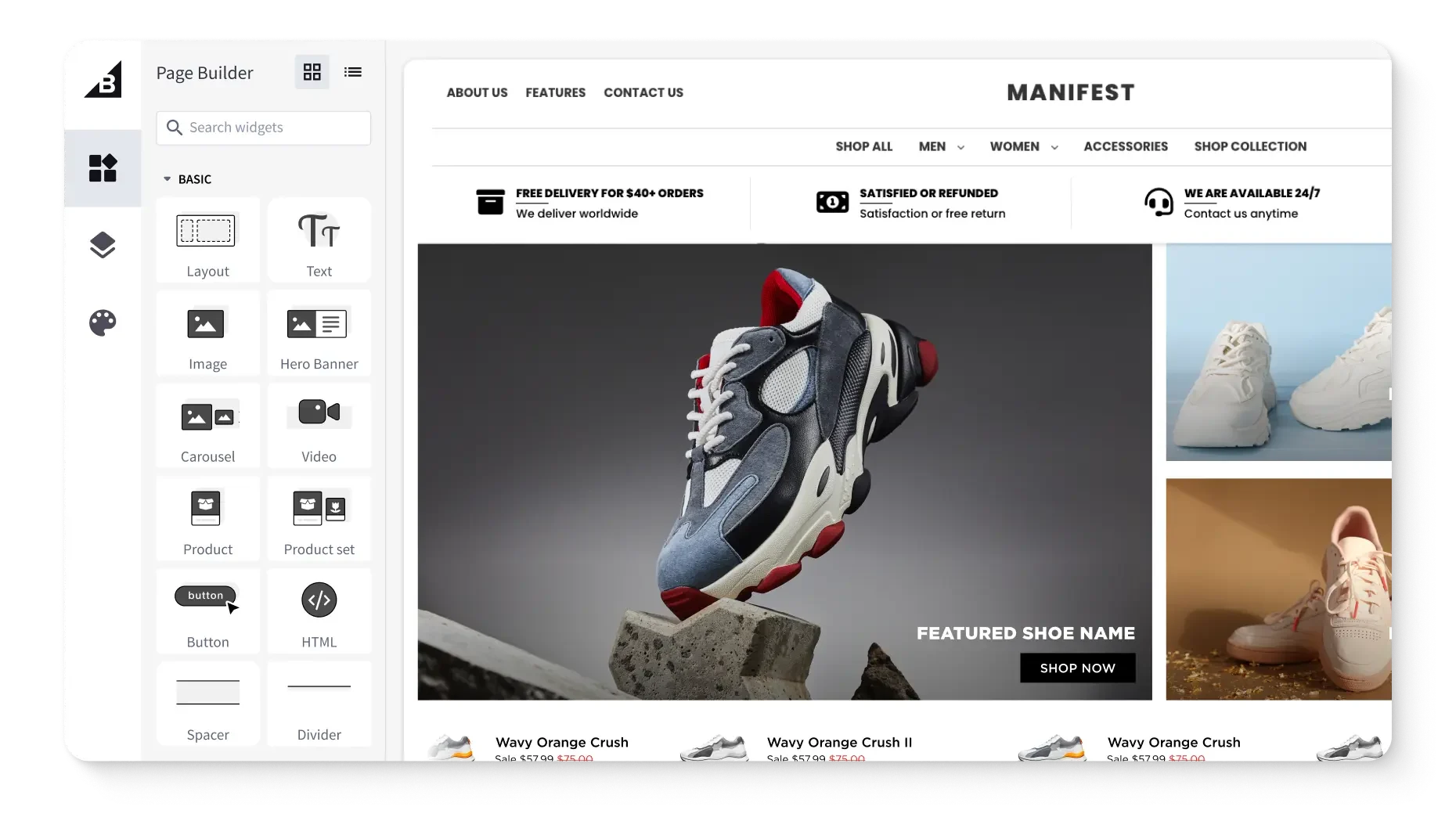
Start with templates if you want to move fast Choosing to create her online store from scratch wasn’t as intimidating as she thought it would be because she tapped into the variety of high-quality templates available, and all optimized for ecommerce. Website templates allowed Maya to customize colors, fonts, and layouts, with no design experience required.
Go custom for full creative control Want something entirely unique? Catalyst gives developers the flexibility to build fully custom, composable storefronts using modern frameworks like React and Next.js. It’s ideal for brands that need full control over design and functionality.
When paired with Makeswift, BigCommerce also enables a more visual, marketer-led approach. Makeswift’s visual builder allows teams to update product pages on the fly (and without ever having to touch a line of code), ideal for marketing teams that need to spin up campaigns quickly.
Focus on the homepage and key pages Design with intent. Your homepage should clearly communicate who you are, what you sell, and why it matters. From product pages to the shopping cart, every part of your store should support a smooth user experience.
Prioritize mobile responsiveness More than half of online shoppers are browsing on mobile devices. Choose a mobile-first commerce theme or framework that ensures your storefront looks and functions great everywhere.
Keep your store secure An SSL (Secure Sockets Layer) certificate is a digital file that verifies a website's identity and enables encrypted, secure connections between a browser and server.
Maya knew it was crucial to protect sensitive data like customer data, logins, and payments on her website, so she made it a priority to make sure her store was set up with the right security features before ever going live.
Test and refine as you go Use built-in tools and real-time data to A/B test different layouts or messaging. Assess which designs help push people down the funnel, how well web pages help build trust with shoppers, and pivot where you need to.
Whether you’re launching with a template or building a custom ecommerce website, BigCommerce gives you the design tools and freedom to bring your brand to life — just like Maya did.
Step 5: Set up payments, taxes, and shipping without the stress.
After designing her storefront, Maya turned her attention to the operational side of her business, setting up how customers would pay, how orders would ship, and how taxes would be handled.
These logistics may not be glamorous, but they’re essential to a seamless checkout process and a positive customer experience.
Here’s how she approached it:
Offer flexible payment methods Customers expect options. BigCommerce supports a wide range of payment gateways, including credit card processors, PayPal, digital wallets, and even Buy Now, Pay Later services. With multiple payment options, Maya made checkout easy for everyone.
Simplify your tax setup Taxes can be tricky, especially when selling across state or country lines. BigCommerce integrates with providers like Avalara to calculate sales tax in real time, so you don’t have to guess or manually update rates.
Choose the right shipping options From flat-rate shipping to real-time carrier quotes, Maya set up shipping methods that balanced speed, cost, and customer expectations. BigCommerce’s built-in tools and integrations helped her automate the process while offering transparency at checkout.
Use automation to streamline fulfillment Instead of manually managing each step, Maya connected her store with fulfillment providers that automated order routing and shipping labels. This gave her time back to focus on marketing and growth.
Whether you're handling everything yourself or working with third-party providers, BigCommerce gives you the tools to configure payments, taxes, and shipping in a way that fits your business — and scales with you.
Step 6: Market and optimize to grow your audience.
With her store live and running smoothly, Maya shifted her focus to what really drives growth, getting traffic and turning visitors into loyal customers.
Marketing isn’t one-size-fits-all. The most successful brands test, iterate, and lean into the channels that work best for their audience.
Here’s how Maya built momentum for her brand:
Start with SEO fundamentals Maya used built-in SEO tools on her ecommerce platform to optimize her product pages, titles, and metadata. By targeting key search terms and improving site speed, she climbed the search engine rankings and attracted organic traffic over time.
Show up on social media She built a consistent presence across social platforms where her target audience spent time. With engaging content and product storytelling, Maya grew a following by building trust, ultimately turning followers into buyers.
Run targeted email campaigns Email marketing helped Maya stay connected with customers and drive repeat purchases. She used automation to send welcome messages, abandoned cart reminders, and updates about new products or promotions.
Test ads to accelerate growth Paid ads on social media and Google gave her a fast track to visibility. By running small experiments and tracking performance, she found the right mix of spend and return.
Use real-time data to optimize BigCommerce gave her access to marketing tools and analytics that showed what was working and what wasn’t. She refined her marketing strategies based on actual results, not guesswork.
Extend to new sales channels Once she had her online homebase for people to find her products, it was time for Maya to promote her product outside of her website, including marketplaces like Amazon. She was able to do this without expanding her team thanks to solutions like Feedonomics, which helped her streamline her product feed management across all sales channels.
In the end, Maya’s growth wasn’t magic, it was the result of consistent effort, smart tools, and a willingness to optimize over time.
With the right ecommerce platform and strategy, you can do the same.
The final word
Maya learned firsthand just how easy it can be building an ecommerce from scratch. With the right platform, features, and marketing tools at her fingertips, she was able to grow her business.
Her secret to setting up a successful store? Working with ecommerce solutions like BigCommerce, which gave her the flexibility and functionality to launch quickly and scale with confidence.
With a user-friendly interface, customizable templates, and access to built-in tutorials and support, even non-technical users can create a beautiful, effective online store tailored to their business needs.
If you’re getting ready to launch your business online, start with the basics, take a step-by-step approach, and remember, perfection isn’t the goal. Progress is. Your ecommerce website isn’t just a storefront; it’s the gateway to everything your business can become.
FAQs about creating an online store
It depends on your budget, timeline, and the complexity of your project. Freelancers are often more affordable and flexible for smaller builds or quick fixes. Agencies may be better suited for more complex projects that require strategy, design, and development expertise under one roof. If you're launching a basic store with a ready-made theme, you may not need either.
If your store needs features that go beyond what your ecommerce platform offers out of the box — like advanced product configurators, custom checkout flows, or B2B-specific logic — you may need custom development. But if your needs are relatively straightforward, most platforms provide tools and apps that let you launch without writing code.
Look for experience with your ecommerce platform, a portfolio that aligns with your goals, and a clear process for project management and communication. Ask about their understanding of SEO, mobile optimization, and performance. And don’t overlook cultural fit — you want a partner who understands your business and can grow with you over time.
Many ecommerce platforms offer professionally designed themes that make it easy to create a polished store without hiring a designer. That said, if you want a highly customized user experience or you're building a more complex site, a UX/UI designer can help you optimize layout, navigation, and conversion paths.
For a basic ecommerce site using a pre-built theme, you can often launch in a matter of days or weeks. More customized stores may take several weeks to a few months, depending on the scope of design, development, and content creation. Don’t wait for perfection. Aim to get a functional version live, then refine over time.
An ecommerce website is more than a digital storefront — it’s a central hub for your business operations, online payments, and marketing efforts. It allows you to meet your target audience where they shop, streamline your checkout process, and operate around the clock without the limits of a physical location.
Whether you’re selling physical products, digital products, or both, the right online store builder will help you manage everything from inventory to promotions in one centralized backend.
Start with your foundation and build your business plan around solid research, including findings about your target market and competitors. From there, start mapping out your marketing and pricing strategy.
Before you start building your web pages, focus on organizing your products, defining your product categories, and start thinking about your sitemap. Then it’s time to choose the right web hosting solution and ecommerce platform for your business. Keep in mind the level of flexibility you’ll want when designing your online store, what types of templates you’ll use, or if you want a totally customizable architecture.
Start with building your homepage and landing pages, with a simple design that makes it easy to find products, add items to cart, and checkout. Set up payment options that give your customers a few options to choose from, and ensure your payment gateway is secure.
Next, market and optimize your online store. You can begin with search engine optimization, adding on social media and Google ads to push your products in front of more people.
Although this isn’t an exhaustive list, we have plenty of great ecommerce resources to help you get started.
Get a free 15-day trial of BigCommerce.
No credit cards. No commitment. Explore at your own pace.