




Written by
Annie Laukaitis10/23/2026
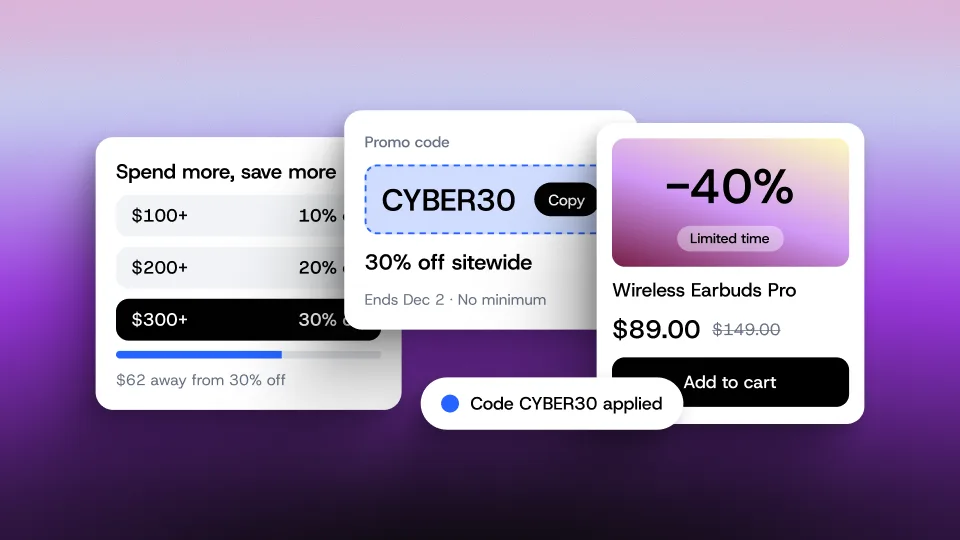
Ecommerce Holiday Readiness: How to Prepare Your Online Store for Peak Season
Get The Print Version
Tired of scrolling? Download a PDF version for easier offline reading and sharing with coworkers.
A link to download the PDF will arrive in your inbox shortly.
Key highlights:
What it is. Ecommerce holiday readiness is the work an online store does before peak season so it can handle more traffic, orders, and customer questions without breaking. It covers site performance, inventory, checkout and payments, promotions, support and returns, marketing, and the post-season review.
Start planning early. Begin preparing at least eight weeks before your first major holiday promotion to avoid last minute surprises.
Make sure your store can handle the rush. Test website performance, stock up on bestsellers, and simplify checkout so shoppers can complete purchases without frustration.
Plan promotions that protect your profits. Set clear discount limits, coordinate marketing campaigns, and test offers before they go live.
Prepare for the entire customer journey. Make product information easy for AI shopping assistants to understand, answer common customer questions, and establish clear shipping and return policies.
Learn from every holiday season. Review sales, customer behavior, and campaign performance to turn first time shoppers into repeat customers and make next year’s planning easier.
The holiday rush is coming. Is your store ready?
Picture this: Your biggest holiday sale of the year just went live. Orders are pouring in, your bestsellers are flying off the shelves, and customers are filling their carts faster than you can keep up.
It’s exactly what you hoped for. Until your checkout starts acting up, inventory runs low, and your support inbox fills with questions.
Suddenly, what should be your most profitable season feels like a race to keep everything running.
That’s why ecommerce holiday readiness matters. It’s about preparing your online store for the holiday rush, from keeping your site running smoothly and products in stock to simplifying checkout, planning promotions, supporting customers, and reviewing results once the season ends.
And there’s a lot to prepare for. According to Adobe Analytics’ 2026 holiday shopping forecast, U.S. online holiday spending will reach $275.1 billion.
The good news? A successful holiday ecommerce strategy doesn’t require a massive team. With the right preparation, you can avoid unnecessary headaches and focus on making the most of peak season ecommerce.
Here’s how to get your store ready before the rush begins.
What ecommerce holiday readiness means (and why planning starts early)
The best time to prepare for the holiday rush is at least eight weeks before your first big promotion. That gives you time to fix potential problems, stock up on popular products, and get everything in place before orders start piling up.
A successful holiday ecommerce strategy isn’t just about driving more sales. It’s about making sure your store can handle them.
Getting holiday ready means focusing on a few important areas:
Site performance: Make sure your store stays fast and reliable when traffic increases
Inventory: Stock up on bestsellers and keep product availability accurate
Checkout and payments: Make it easy for shoppers to complete purchases
Promotions: Plan offers that attract customers without eating into profits
Customer support and returns: Prepare answers, policies, and processes before questions start rolling in
Marketing: Coordinate campaigns across email, social media, and paid channels
Performance review: Track what worked and what needs improvement for next season
The holiday shopping season starts earlier than you think.
Waiting until Black Friday to prepare could mean missing out on weeks of potential sales.
According to Adobe Analytics’ 2026 holiday forecast, U.S. shoppers will spend $95.8 billion online in October alone. With so much shopping happening before November even begins, businesses that wait until Black Friday to prepare risk missing out on valuable sales opportunities.
The way people shop is changing, too. Salesforce predicts that 20% of holiday ecommerce traffic will come from AI chat agents, including automated agents and scrapers.
For businesses preparing for peak season ecommerce, this means thinking beyond the usual holiday promotions. Your store needs accurate product information, a smooth shopping experience, and systems that can keep up without requiring constant attention.
The goal of ecommerce holiday readiness is simple: Take care of the big tasks early so you can spend less time solving problems and more time making sales.
For more inspiration, explore this year’s holiday ecommerce playbook and the latest holiday shopping trends.
The ecommerce holiday readiness checklist — by phase
Getting ready for the holidays can feel like a never ending list of things to do. Between planning promotions, checking inventory, and making sure your website can handle more shoppers, it’s easy to wonder where to start.
The trick is to tackle the right tasks at the right time.
This holiday ecommerce checklist breaks preparation into four manageable phases. Whether you’re getting ready for Black Friday and Cyber Monday (BFCM) or planning for the entire shopping season, use this BFCM checklist to stay organized and avoid scrambling at the last minute.
8+ weeks out: Plan, forecast, and fix the big things.
This is the time to get ahead of potential problems, while there’s still room to make changes.
Review last year’s performance. Look at traffic, conversion rates, bestsellers, and customer support requests to understand what to expect.
Set your sales goals and budget. Establish revenue targets, marketing spend, and the minimum profit margin you’ll accept on discounted products.
Forecast inventory needs. Identify your most popular products and place supplier orders early enough to account for longer delivery times.
Audit your website. Check the speed and performance of your homepage, category pages, product pages, and cart.
Review apps and integrations. Remove unnecessary scripts and check that essential tools are working properly.
Map out your promotions. Decide which products to feature, what discounts to offer, and when each campaign will run.
Start growing your audience. Encourage email and SMS signups so you have interested shoppers to reach when promotions begin.
4 weeks out: Build, test, and finalize.
Your plans are taking shape. Now it’s time to make sure everything works before customers arrive.
Test your store under pressure. Simulate heavy traffic with holiday banners, popups, and promotions enabled to identify performance issues.
Set up your promotions. Create discount codes, schedule offers, and test that pricing updates correctly.
Check your payment options. Enable digital wallets and Buy Now, Pay Later options, then complete test purchases on mobile devices.
Prepare your marketing campaigns. Write and schedule emails, text messages, social posts, and paid advertisements.
Update shipping and returns information. Make delivery expectations, shipping cutoffs, and return policies easy to find.
Get customer support ready. Prepare answers to common questions about orders, delivery, discounts, and returns.
Finalize your storefront. Check product descriptions, images, gift guides, and holiday landing pages for accuracy.
Set a deadline for website changes. Aim to finish major updates by early November so you aren’t troubleshooting during your busiest days.
The week of: Monitor, don’t change.
The big week is here. Instead of making last minute improvements, focus on keeping everything running smoothly.
Monitor website performance. Watch page speed, checkout errors, and other signs that shoppers may be having trouble.
Keep an eye on inventory. Check stock levels frequently and pause ads for products that sell out.
Test the customer experience. Complete a quick mobile purchase to confirm checkout, discounts, and payment options still work.
Watch your support inbox. Track common questions and respond quickly to issues that could prevent purchases.
Check your promotions. Confirm scheduled offers are starting and ending correctly.
Stick to your website change freeze. Avoid unnecessary design updates, new apps, or major code changes.
Keep a backup plan ready. Assign someone to monitor issues and know how to reverse a change if something goes wrong.
Post season: Review, retain, and reset.
The sales rush may be over, but there’s still valuable work to do.
Review your results. Compare revenue, conversion rates, checkout completion, average order value, and profit margins against your goals.
Identify your strongest products. Look at bestsellers, slow moving inventory, stockouts, and discount performance.
Evaluate your marketing. Review email and SMS revenue, campaign performance, and traffic from AI shopping assistants.
Assess customer support. Measure response times, common questions, and the volume of requests your team handled.
Prepare for returns. Make sure customers can easily initiate returns and get help after the holidays.
Reconnect with new customers. Set up welcome emails, review requests, and loyalty offers to encourage another purchase.
Document what you learned. Record what worked, what caused problems, and what you’d change next year.
Get a head start on next season. Save your updated checklist and schedule a reminder to begin planning in August.
Remember, ecommerce holiday readiness isn’t about doing everything at once. It’s about spreading the work across the season so you can focus on selling and serving customers when traffic picks up.
Site performance and uptime testing
To keep your site from crashing, test it with holiday elements on, freeze changes early, and monitor it live.
The last thing you want during your biggest sale of the year is a website that can’t keep up.
Slow pages, checkout errors, and unexpected downtime can frustrate shoppers and cost you sales. That’s why testing your store before the holiday rush is one of the most important parts of ecommerce holiday readiness.
The goal is simple: Test early, make improvements, and have a plan in place if something goes wrong.
Set your speed targets before you test.
A fast website makes shopping easier, especially for customers browsing on their phones.
Google’s Core Web Vitals provide three useful benchmarks for measuring your store’s performance:
Largest Contentful Paint (LCP): Aim for 2.5 seconds or less for the main page content to load.
Interaction to Next Paint (INP): Keep response times at 200 milliseconds or less when shoppers interact with your site.
Cumulative Layout Shift (CLS): Maintain a score of 0.1 or less to prevent page elements from unexpectedly moving around.
Use tools like Google PageSpeed Insights to identify areas that need attention before traffic increases.
Test your store as shoppers will actually experience it.
Your website might perform perfectly on an ordinary Tuesday, but what happens when thousands of shoppers arrive during a major promotion?
For peak season ecommerce, test your store with everything customers will see during the holidays.
Enable holiday banners, countdown timers, popups, and promotional content.
Test your homepage, category pages, product pages, and checkout.
Simulate increased traffic to see how your store responds.
Record loading times, errors, and performance issues.
Fix any problems and test again before your promotions begin.
Remember that shoppers aren’t the only visitors. Automated bots and AI crawlers can also increase traffic, so factor them into your testing.
Freeze changes and prepare for the unexpected.
Once your store is ready, avoid making major changes during your busiest shopping days. Even a seemingly harmless update could introduce a problem at the worst possible time.
Instead, assign someone to monitor performance, keep a plan for reversing changes, and make sure everyone knows what to do if an issue arises.
Your ecommerce platform also plays an important role. With a SaaS solution like BigCommerce, infrastructure and hosting are managed for you, allowing your team to focus on storefront performance and the customer experience.
Learn more about ecommerce hosting and optimizing your store for mobile shoppers.
Inventory and catalog prep
Imagine launching your biggest holiday promotion, only to discover your most popular product is already sold out. Or worse, customers are placing orders for items you no longer have in stock.
Inventory problems can turn a successful sale into a customer service headache. That’s why a strong holiday ecommerce strategy starts with knowing what shoppers are likely to buy and making sure you’re ready to deliver.
Forecast demand using last year’s bestsellers.
How much inventory should you order for the holidays? Start by looking at last year’s sales, identifying your most popular products, and adjusting your forecast based on this year’s growth goals.
Not every product deserves the same attention. Try grouping your inventory into three categories:
A products: Your top sellers that generate the most revenue and should receive priority when restocking.
B products: Consistent sellers that need steady inventory but may not require large increases.
C products: Slower selling items that could benefit from bundles or promotions to clear excess stock.
Once you’ve identified your priorities, place orders early enough to account for supplier lead times and potential shipping delays.
Set inventory alerts and plan for sellouts.
Even the best forecasts can’t predict exactly what shoppers will buy.
Set low stock alerts so you know when popular products are running out. Decide in advance whether you’ll accept backorders, recommend alternatives, or temporarily hide unavailable products.
If you sell through multiple channels, keeping inventory synchronized is especially important. A product sold through a marketplace or social shop should also reflect the correct availability on your website.
BigCommerce supports inventory management and integrations that help businesses keep product availability accurate across sales channels. Explore our inventory management best practices for more insights.
Give your product catalog a holiday refresh.
Having enough inventory is only half the battle. Shoppers also need accurate information to feel confident about what they’re buying.
Before the rush, review your product titles, descriptions, images, sizes, specifications, and shipping details. Make sure everything is current and easy to understand.
This also supports another growing part of ecommerce holiday readiness: AI shopping discovery. Complete, accurate product information makes it easier for shopping assistants to understand and recommend relevant products.
The takeaway? Know what sells, keep inventory accurate, and make it easy for customers to find exactly what they’re looking for.
Checkout and payment options: Make every purchase count
To reduce holiday cart abandonment, cut optional fields, offer guest checkout, add digital wallets and Buy Now, Pay Later, and show shipping costs upfront.
You’ve done the work to bring shoppers to your store. They’ve browsed your products, found something they love, and added it to their cart.
Now comes the part that matters most: getting them through checkout.
The easier it is to complete a purchase, the less likely shoppers are to leave before placing their order. A strong holiday ecommerce strategy should make checkout simple, flexible, and convenient, especially on mobile devices.
Make checkout as simple as possible.
Nobody wants to fill out a dozen fields just to buy a gift. And during the holiday rush, even a small inconvenience can give shoppers a reason to leave.
Start by removing unnecessary form fields and offering guest checkout so customers don’t have to create an account.
Be upfront about shipping costs, taxes, and delivery expectations. Unexpected charges at the final step can make shoppers reconsider their purchase.
For more ways to improve the experience, explore our checkout optimization best practices.
Give shoppers more ways to pay.
Not everyone wants to pay the same way. Some prefer using a digital wallet, while others appreciate the flexibility of spreading payments over time.
And with more holiday shopping happening on phones, convenient payment options matter.
According to Adobe Analytics’ 2026 holiday forecast, mobile devices will account for 57.4% of online holiday spending. Buy Now, Pay Later (BNPL) purchases will reach $21.3 billion, with 82% of that spending happening on mobile.
Consider offering:
Digital wallets: Options like Apple Pay and Google Pay let customers complete purchases without manually entering card details.
Buy Now, Pay Later: Flexible payment options allow eligible shoppers to split purchases into installments.
Credit and debit cards: Familiar payment methods give customers the freedom to pay however they prefer.
BigCommerce Payments, built with PayPal, lets eligible U.S. stores offer popular digital wallets and Buy Now, Pay Later options at checkout, with payouts and transactions visible in the BigCommerce control panel.
Learn more about ecommerce payment options and Buy Now, Pay Later for ecommerce.
Test the entire checkout experience on mobile.
A checkout that looks great on a desktop might tell a different story on a phone.
Before your holiday promotions begin, go through the purchasing process as if you were a customer. Here are a few things to review:
Confirm guest checkout is available
Check that shipping costs and taxes are clearly displayed
Test discount codes to make sure they apply correctly
Verify digital wallets and BNPL options are easy to find
Place a real test order and confirm the order email arrives
Process a refund to make sure everything works as expected
The bottom line? Ecommerce holiday readiness isn’t just about getting more shoppers to your store. It’s about making sure they can complete their purchases without unnecessary frustration.
Promotions and merchandising that protect your profit margins
The best holiday promotion is one your profit margins can handle, so set your margin floor before choosing a discount.
Everyone loves a good holiday deal. But for ecommerce businesses, there’s a fine line between offering an irresistible discount and giving away too much profit.
And while steep discounts might attract shoppers, they don’t always translate into more money in your pocket. The goal is to create offers that encourage purchases while still making financial sense for your business.
Before launching any promotion, make sure you know how much you can afford to discount.
Set your profit margins before choosing discounts.
It’s tempting to offer steep discounts when competitors are doing the same, but more orders don’t always mean more profit.
Start by calculating your product costs, shipping expenses, and other fees. Then determine the lowest price you can offer while maintaining a healthy profit margin.
According to Adobe Analytics’ 2026 holiday forecast, discounts will reach up to 30% during Cyber Week. That doesn’t mean your business needs to match them. A successful holiday ecommerce strategy focuses on offers that make sense for your products, customers, and bottom line.
Choose promotions that encourage shoppers to buy.
You don’t need a different deal for every product. A few thoughtful promotions can create excitement without making your holiday ecommerce strategy unnecessarily complicated.
Consider options like:
Tiered discounts: Encourage larger purchases by offering greater savings when customers spend more.
Free shipping thresholds: Motivate shoppers to add another item by offering free shipping above a certain order value.
Gift with purchase: Add extra value without discounting your main products.
Product bundles: Group complementary items together to increase order value or move slower selling inventory.
Flash sales: Create urgency with limited time offers on select products.
Once you’ve chosen your promotions, make them easy to discover. Create dedicated holiday collections, feature popular gifts on your homepage, and organize gift guides by price or recipient.
For more inspiration, explore our ecommerce merchandising guide and holiday promotion ideas.
Set up and test promotions before the rush.
Imagine advertising a great deal, only for shoppers to discover that the discount code doesn’t work at checkout.
It’s frustrating for customers and creates unnecessary work for your team.
Before launching, test every offer to confirm discounts apply correctly, promotional pricing is accurate, and start and end dates are set.
BigCommerce’s built-in promotions and coupon scheduling tools can help businesses prepare offers in advance, so they don’t have to manually activate every deal.
The takeaway? A great holiday promotion should make shoppers excited to buy without leaving your business wondering where the profit went.
Customer support and returns policy prep
The holiday rush doesn’t end when someone clicks “Place order.” In fact, that’s often when the questions start rolling in.
Where’s my package? Can I exchange this gift? Why isn’t my discount code working?
As orders increase, so do customer questions. Preparing answers, clear policies, and automatic processes ahead of time can help your team keep up without spending the entire season buried in support requests.
Publish your return policy before the first promotion.
Your holiday return policy should clearly explain how long customers have to return an item, who pays for return shipping, and how to start the process.
And shoppers are paying attention. According to a 2026 Loop survey, 63% of U.S. shoppers have abandoned a purchase or retailer over a return policy, while 58% check the policy before buying.
Consider extending your return window for holiday gifts, especially purchases that won’t be opened until weeks after delivery.
Make your policy easy to find on product pages, in the shopping cart, and in your website footer. Explore our ecommerce returns best practices for more guidance.
Prepare answers before the questions arrive.
Think about the questions your team answered most often last holiday season. Chances are, many will come up again.
Instead of writing a new response every time, prepare replies for common questions:
Order status: Where is my package?
Shipping cutoff: When should I order for holiday delivery?
Discount codes: Why isn’t my promotion working?
Return window: How long do I have to return or exchange a gift?
Size and fit: How do I choose the right size?
Make these answers available through FAQs, help centers, and automated support tools so customers can find information without waiting for a response.
For more guidance, explore our ecommerce customer service guide and holiday customer service tips.
Plan for the January returns wave.
Just because holiday sales have ended doesn’t mean your work is done.
January often brings returns, exchanges, and questions about gifts. Make sure your team knows how to process requests, issue refunds, and handle exchanges before they start coming in.
Keep delivery expectations clear, too. Review our ecommerce shipping guide and holiday shipping deadlines before your promotions begin.
The takeaway? Ecommerce holiday readiness isn’t just about making the sale. It’s about delivering a great experience before, during, and after the purchase.
Your holiday marketing calendar: Email, social, and paid advertising
You’ve stocked your inventory, tested your checkout, and planned your promotions. Now it’s time to make sure shoppers actually know about them.
The challenge? Your customers are probably getting holiday emails, social media ads, and promotional messages from dozens of other brands.
A successful holiday marketing calendar helps you reach the right shoppers at the right time without overwhelming them.
Rather than launching every campaign at once, plan your messaging around the different stages of the holiday shopping season.
Start building your audience before the holiday rush.
The best time to grow your email and SMS lists is before you have something to sell.
Start encouraging signups in September through your website, social media channels, and existing customer communications. Give shoppers a reason to subscribe, whether that’s early access to sales, exclusive offers, or updates about new products.
This way, when your biggest promotions arrive, you’ll already have an audience that’s interested in hearing from you.
For more guidance, explore our ecommerce email marketing guide.
Build your Black Friday ecommerce strategy around key shopping moments.
Nobody wants to receive five emails about the same sale in one day.
Instead, build anticipation with a sequence that gives shoppers a reason to pay attention at each stage.
Here’s a simple schedule to follow:
Three weeks before: Send a teaser introducing your upcoming holiday promotions.
One week before: Reward loyal customers with early access or exclusive offers.
Launch day: Announce your sale and highlight your most popular products.
Midway through: Share bestsellers, gift ideas, or products customers may have missed.
Final day: Remind shoppers when promotions end and encourage them to complete their purchases.
After purchase: Send a thank you message and introduce opportunities to shop again.
Make the most of social media and paid advertising.
Email is only one piece of the puzzle. Your holiday ecommerce strategy should also reach shoppers wherever they’re discovering products.
According to Adobe Analytics’ 2026 holiday forecast, revenue share from social media is expected to grow 17%, compared to 12% for affiliates and partners and 4% for paid search.
Consider sharing gift guides on social media, partnering with creators, and running targeted ads for products with strong demand.
Keep your product listings accurate across channels, and monitor which campaigns are actually driving purchases. If something isn’t performing, adjust your budget rather than continuing to spend.
For more guidance on this year’s dates and offers, explore our Black Friday marketing strategy.
Getting found by AI shopping assistants
To help your products appear in AI shopping assistants, provide complete, structured product data and clear store policies in plain text.
Imagine a shopper asking an AI assistant to find the perfect gift for someone who loves cooking. Instead of scrolling through dozens of websites, they get a list of recommended products, complete with prices, descriptions, and places to buy.
The question is, will your products make the list?
As more shoppers turn to AI for product recommendations, businesses have another opportunity to reach customers who might not have discovered their products otherwise.
According to Adobe Analytics’ 2026 holiday forecast, AI traffic to U.S. retail websites is expected to grow 130% compared to the previous year.
Give AI shopping assistants the information they need.
AI shopping assistants rely on product information to understand what you’re selling and determine which products might match a shopper’s request.
Start by making sure your product catalog includes:
Clear product titles and descriptions: Explain what each product is, what it does, and who it’s for.
Complete product details: Include sizes, colors, materials, specifications, and other relevant attributes.
Accurate availability and pricing: Keep inventory levels, prices, and shipping information current.
Structured product data: Help search engines and AI tools interpret important product details.
Accessible store policies: Make shipping, returns, and other purchasing information easy to find and understand.
These improvements support your holiday ecommerce strategy while making the shopping experience better for customers, too.
Make it easy for AI to understand your store.
Having great products isn’t enough if shopping assistants can’t access the information they need.
Keep important product details and policies available as readable text, and use structured data to provide additional context.
Tools like BigCommerce Catalog Enrichment (available in Early Access) [EDITOR COMMENT — review before publishing: Can remove this once it’s GA] and Feedonomics Enrichment can help businesses improve product content and prepare their catalogs for AI shopping discovery.
Learn more about getting your products into AI shopping assistants and how AI shopping assistants are changing ecommerce.
Keep an eye on traffic from AI shopping tools.
As AI shopping becomes part of the customer journey, it’s worth understanding whether these tools are bringing shoppers to your store.
Review your analytics to identify traffic referred by AI platforms, then look at which products attract visitors and whether those visits lead to purchases.
The takeaway? You don’t need to completely rethink your store for AI shopping. Start with accurate product information, clear policies, and a shopping experience that makes it easy for customers to buy.
Post season wrap up: What to measure and what to carry into next year
The holiday rush is over. Your biggest promotions have ended, orders are slowing down, and you can finally catch your breath.
But before you put the season behind you, there’s one more thing worth doing: figuring out what worked, what didn’t, and what you can do better next time.
After all, a successful holiday season isn’t just about how much you sell. It’s also about how many first time customers come back.
Look beyond your holiday sales numbers.
Revenue tells part of the story, but it doesn’t tell you everything.
Within a couple of weeks of your biggest promotions, review your performance to see where your business succeeded and where there’s room to improve.
Start with these metrics:
Total revenue compared to your goals
Conversion rates across desktop and mobile
Checkout completion rates
Average order value (AOV)
Bestselling and underperforming products
Discounts compared to profit margins
Revenue generated from email and SMS campaigns
Traffic and conversions from AI shopping assistants
Customer support volume and response times
Product return rates
Look for patterns, not just numbers. Did mobile shoppers abandon checkout more often? Did certain promotions drive sales but leave little profit? These insights can help you make smarter decisions next year.
Turn holiday shoppers into repeat customers.
Just because someone bought a gift from your store doesn’t mean the relationship has to end there.
Welcome new customers with a thoughtful email, invite them to leave a review after their order arrives, and introduce loyalty programs that give them a reason to return.
Automated messages can help you stay connected without adding more work to your team’s plate. Explore our guide to abandoned cart emails for more ways to reconnect with shoppers.
Make next year’s holiday season easier.
While everything is still fresh, write down what you’d do differently.
Maybe you needed more inventory of a bestseller. Maybe your promotions started too late. Or maybe your checkout performed better than expected.
Whatever you learned, add it to your ecommerce holiday readiness checklist and set a reminder to start planning again in August.
The final word
The holiday season can be exciting, exhausting, and sometimes a little unpredictable. But the more you prepare ahead of time, the less you’ll have to worry about when things get busy.
And remember, ecommerce holiday readiness isn’t about having a perfect plan. It’s about having the right things in place so your business can handle whatever the season brings.
Not sure where to start? Here are three things you can do this week:
Look at last year’s numbers. Identify your bestsellers, review your sales performance, and decide how much you can afford to discount.
Put your checkout to the test. Place an order on your phone using a digital wallet or Buy Now, Pay Later option to make sure everything works smoothly.
Get important dates on the calendar. Set a deadline for website changes and assign someone to monitor performance during your busiest sales days.
A little work now can save you a lot of headaches later.
For more guidance on this year’s promotions and shopping events, explore our 2026 Holiday Playbook.
Ecommerce holiday readiness FAQs
Start preparing at least eight weeks before your first major promotion. Focus on inventory, website performance, checkout, marketing campaigns, and customer support. A strong ecommerce holiday readiness plan helps you identify potential problems early so you can spend less time troubleshooting and more time serving customers.
Ideally, you should start planning in August or September, depending on when your first promotions begin. This gives you enough time to order inventory, test your website, and prepare marketing campaigns. The earlier you start, the more time you’ll have to address unexpected challenges.
A BFCM checklist is a list of tasks businesses should complete before Black Friday and Cyber Monday. It typically covers inventory planning, website performance, checkout testing, promotions, marketing, and customer support. Following a BFCM checklist helps businesses stay organized and prepare for increased holiday shopping activity.
Test your website under heavy traffic before your promotions begin. Make sure holiday banners, apps, and other website elements are included in your tests. Avoid major changes during busy shopping days, monitor performance, and have a backup plan ready in case something goes wrong.
Offer a variety of payment methods, including credit and debit cards, digital wallets like Apple Pay and Google Pay, and Buy Now, Pay Later options. Providing flexible payment choices and a simple mobile checkout experience can make it easier for shoppers to complete their purchases.
Make checkout as simple as possible by removing unnecessary fields, offering guest checkout, and displaying shipping costs upfront. Provide convenient payment options, test discount codes, and make sure checkout works smoothly on mobile devices. These improvements can help reduce friction and encourage shoppers to finish their purchases.
Your holiday return policy should clearly explain the return window, eligible products, refund or exchange options, and who pays for return shipping. Consider extending the return period for gifts purchased early. Make the policy easy to find on product pages, in the shopping cart, and before checkout.
Start by providing complete, accurate product information, including detailed descriptions, pricing, availability, and shipping details. Use structured product data to help AI shopping assistants understand your catalog, and keep store policies easy to access. These steps can improve your products’ chances of appearing in relevant AI shopping recommendations.
Ecommerce holiday readiness is preparing your online store for peak season before it starts. It covers site performance, inventory, checkout and payments, promotions, customer support and returns, marketing, and a post-season review, so your store can handle more traffic and orders without breaking.